
AI Paperback Cover Generator
Create a paperback cover direction with front, clean spine, and back-cover production in mind before you finish the upload-ready file.

What this page is for
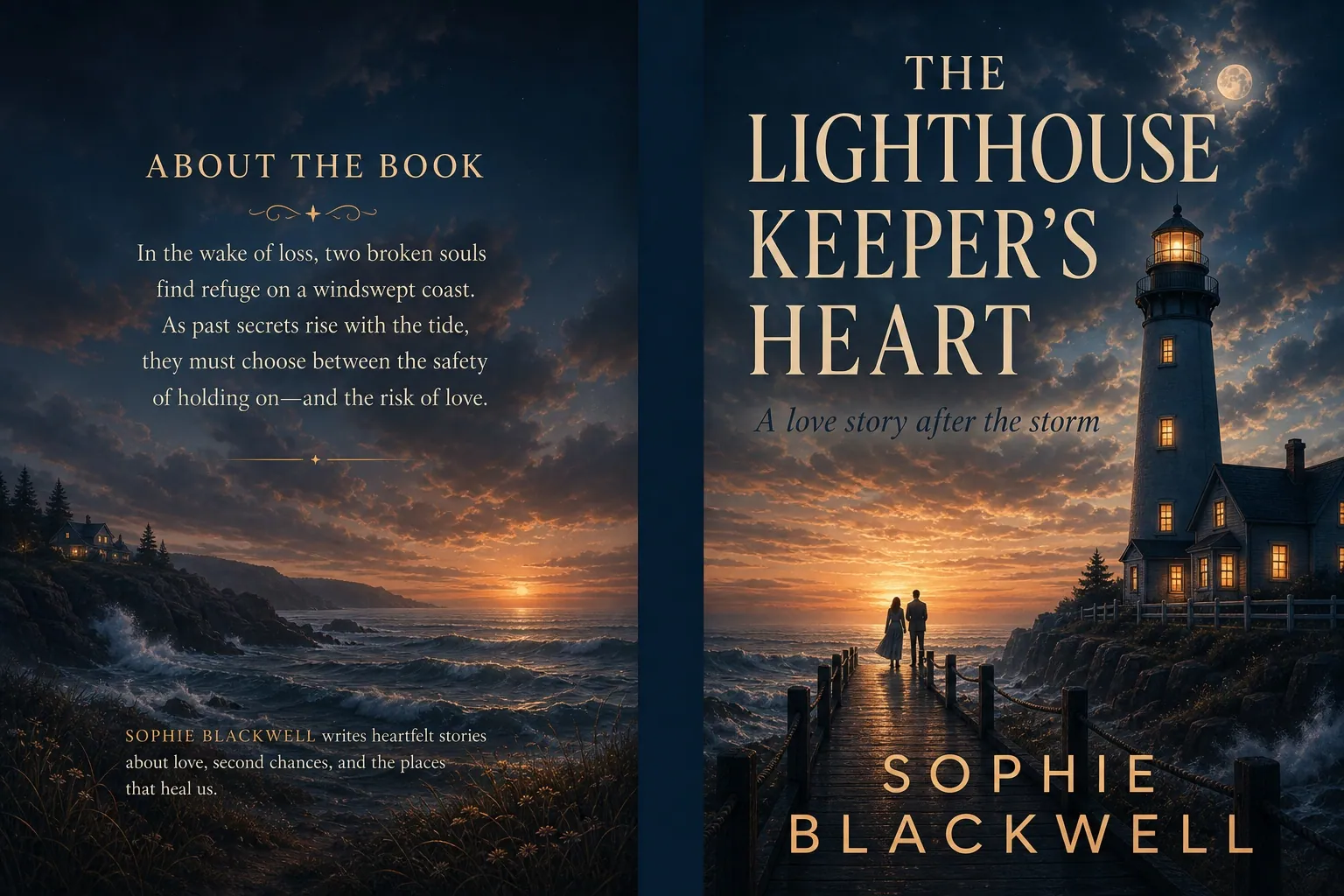
Use the paperback path when you need more than a front image. KDP paperback covers require full-wrap geometry: back cover, calculated spine, front cover, bleed, safe zones, and barcode space. AI can start the artwork, but KDP Cover Creator should finish the file.
| Need | Choose | Next step |
|---|---|---|
| Paperback cover art direction | AI Generator full wrap mode | Generate a landscape back-spine-front concept with a clean center reserve. |
| Accurate KDP spine width | KDP Cover Creator | Set trim, page count, paper type, and spine text after the art handoff. |
| Print-ready upload file | Creator export workflow | Check bleed, safe zones, barcode area, and export the final PDF. |
Paperback Cover vs eBook Cover Format
A paperback cover is not a larger eBook cover. It is a single wrap file whose dimensions depend on trim size, page count, paper type, and bleed.
| Format | Best for | Geometry | Final file |
|---|---|---|---|
| Paperback full wrap | KDP print upload, author copies, and print sales | Back cover, calculated spine, front cover, 0.125 inch bleed, safe zones, barcode space | Print-ready PDF after production checks |
| Kindle eBook front cover | Digital Kindle listing and front-cover concept testing | One portrait image without spine, barcode, or back cover | JPEG or TIFF front-cover image |
| Full-wrap art direction | Exploring mood, back-cover texture, and front-panel focal point | Landscape concept with a clean center spine reserve, not final dimensions | Source art handed into KDP Cover Creator |
How to Choose the Right Paperback Cover Workflow
A paperback cover needs more than attractive front art. Plan the back cover, spine reserve, bleed, barcode area, and final KDP export before treating the design as ready.
| Situation | Risk | What to do |
|---|---|---|
| You need a full-wrap cover idea. | A front-only image does not give you a back cover, spine reserve, or barcode-safe area. | Use Full wrap mode to explore back-spine-front artwork with a clean center spine area. |
| You need exact KDP dimensions. | Spine width and bleed change with trim size, page count, and paper type. | Move the concept into KDP Cover Creator so trim, bleed, safe zones, barcode space, and editable spine text are calculated correctly. |
| You need a print-ready upload file. | Generated art alone is not the final KDP paperback PDF. | Run the print checks for 300 DPI, 0.125 inch bleed, barcode space, and final PDF export before upload. |
Where the paperback cover rules come from
These references explain why paperback cover art still needs calculated trim size, spine width, bleed, barcode space, and print-ready export.
Amazon KDP paperback cover requirements
Amazon states that paperback cover files include back cover, spine, and front cover as one image/PDF workflow.
Open referenceBookCoversLab KDP Cover Creator
BookCoversLab includes full-wrap output, spine calculation, bleed, and print-ready checks for paperback covers.
Open referenceHMD cover calculator
Cover calculators show why exact trim size, page count, bleed, and spine values belong in the production step.
Open referenceBest Use Cases for an AI Paperback Cover Generator
Use the paperback workflow when the cover needs a back panel, clean spine zone, front panel, and later KDP print export.
KDP paperback launch
Generate a full-wrap art direction before you lock trim size, page count, paper type, and final export.
Front cover already exists
Use the wrap concept to explore matching back-cover mood and spine background before production.
Series paperback style
Create consistent back-spine-front compositions across multiple books without baking in final spine text.
Print-ready handoff
Move the winning wrap direction into KDP Cover Creator for exact spine width, barcode space, and PDF export.
KDP Paperback Cover Checks Before Export
A paperback cover must become one print-ready PDF. These checks belong in the production step after the AI concept is chosen.
| Check | Rule | Why it matters |
|---|---|---|
| Full wrap structure | Back cover, spine, and front cover must be one continuous file. | KDP paperback covers are not separate front and back images. |
| Spine width | Calculate spine from trim size, page count, paper type, and binding. | A wrong spine width causes alignment and text-outside-safe-zone errors. |
| Bleed | Keep 0.125 inch bleed on outer edges. | Bleed prevents white edges after trimming. |
| Barcode space | Reserve a clear area on the back cover for the barcode. | Important art or copy can be covered if the barcode area is crowded. |
| Resolution | Use original artwork that can hold roughly 300 DPI at print size. | Low-resolution AI art can trigger blurry image warnings or weak print quality. |
What This Paperback Generator Adds
Full wrap default
The embedded generator opens in Full wrap mode, with sample previews that show back, spine, and front together.
Clean spine guidance
The page reminds users not to bake final spine text into the AI image because real spine width depends on page count.
KDP production bridge
The generated concept can be finished in KDP Cover Creator with trim, page count, paper type, bleed, and export controls.
Print prompt examples
Prompt examples teach users to describe back-cover texture, spine reserve, front focal point, and barcode-safe areas.
Prompt Examples for Paperback Full Wraps
| Use case | Prompt example | Quality check |
|---|---|---|
| Fantasy paperback wrap | Full wrap fantasy paperback cover, misty enchanted forest continuing across back cover and spine, clean center spine reserve, glowing portal on front, no text. | Is the spine area visually calm enough for editable text later? |
| Thriller paperback wrap | Full wrap thriller cover, dark city rain texture on back, narrow clean spine area, red-lit doorway on front panel, barcode-safe lower back area, no text. | Does the front panel still work if the wrap is cropped in previews? |
| Nonfiction paperback wrap | Premium nonfiction full wrap, abstract geometric pattern across back and front, subtle spine gradient, clear front focal symbol, clean back copy area, no text. | Is there enough calm space for blurb, author bio, and barcode? |
| Low-content workbook wrap | Clean full wrap workbook cover, subtle pattern across back and front, calm spine reserve, clear front focal icon, barcode-safe lower back area, no text. | Does the design leave enough room for subtitle and volume number? |
| Children activity book wrap | Bright full wrap activity book cover, playful background across back cover and spine, bold front focal character, clean barcode-safe back area, no text. | Can the front panel work alone while the back stays calm for copy? |
How it works
- 1
Pick paperback full-wrap mode
Use full wrap when you want the AI art direction to consider back, spine, and front panels together.
- 2
Keep spine artwork clean
Avoid baked-in spine text during generation because real spine width depends on page count and paper type.
- 3
Move the concept into KDP Cover Creator
Use Creator to calculate trim, bleed, safe zones, barcode space, and editable spine typography.
- 4
Export after preflight
Finish with a print-ready paperback PDF only after layout and upload checks pass.
Paperback Cover Mistakes to Avoid
Baking in spine text too early
Spine width changes with page count and paper type. Add real spine text after the final book specs are known.
Ignoring barcode space
Leave the lower back-cover area clear so barcode placement does not cover art, blurbs, or reviews.
Treating AI art as the final PDF
A generated wrap is an art direction. KDP still needs exact dimensions, bleed, safe zones, and print-ready PDF export.
FAQ
Can AI generate a complete KDP paperback cover?
AI can generate a strong full-wrap artwork direction, but the upload-ready file still needs calculated spine width, bleed, safe zones, barcode space, and editable typography.
Why should the spine stay clean during AI generation?
The real spine width changes with page count and paper type. Keeping the spine area clean lets KDP Cover Creator place editable spine text correctly later.
Where should I finish the paperback cover?
Finish it in KDP Cover Creator, where the image can become a full cover layout with trim settings, production checks, and export controls.
What file do I upload for a KDP paperback cover?
A KDP paperback cover is uploaded as one print-ready full-cover PDF after the back cover, spine, front cover, bleed, safe zones, and barcode area are set correctly.
Can I add the barcode after generating the AI wrap?
Yes. Keep the lower back-cover area clean during AI generation, then let the KDP production workflow place or reserve the barcode area during final layout.
Related AI book cover generator pages
AI book cover examples by genre
Browse romance, thriller, fantasy, sci-fi, nonfiction, comic, horror, drama, and novel cover templates.
Browse genre templatesKindle eBook cover generator
Generate Kindle and KDP eBook front-cover concepts, check thumbnail readability, then move the winner into print when needed.
Open Kindle eBook cover generatorAI paperback cover generator
Start a KDP paperback full-wrap concept with front, spine, and back-cover production in mind.
Generate paperback wrap ideasRomance book cover generator
Generate romance-specific cover ideas by subgenre, heat level, palette, and reader promise.
Open romance generatorComic book cover generator
Generate comic and graphic novel cover concepts by focal subject, illustrated style, action, palette, and format.
Open comic generatorHorror book cover generator
Generate horror-specific cover concepts by threat, setting, subgenre, atmosphere, and format.
Open horror generatorSci-fi book cover generator
Generate science fiction cover concepts for space opera, cyberpunk, dystopian, retro, and hard sci-fi stories.
Open sci-fi generatorFantasy book cover generator
Generate fantasy cover concepts for epic fantasy, romantasy, dark fantasy, urban fantasy, and cozy stories.
Open fantasy generatorStart from a related book cover template
Browse all templates
Dreamy Seaside Romance Book Cover Template
A soft coastal romance cover direction for second-chance, beach town, and emotional contemporary romance stories.
View template
Dark Billionaire Romance Book Cover Template
A high-contrast romance template for darker, luxury-driven stories that need a more intense Amazon thumbnail.
View template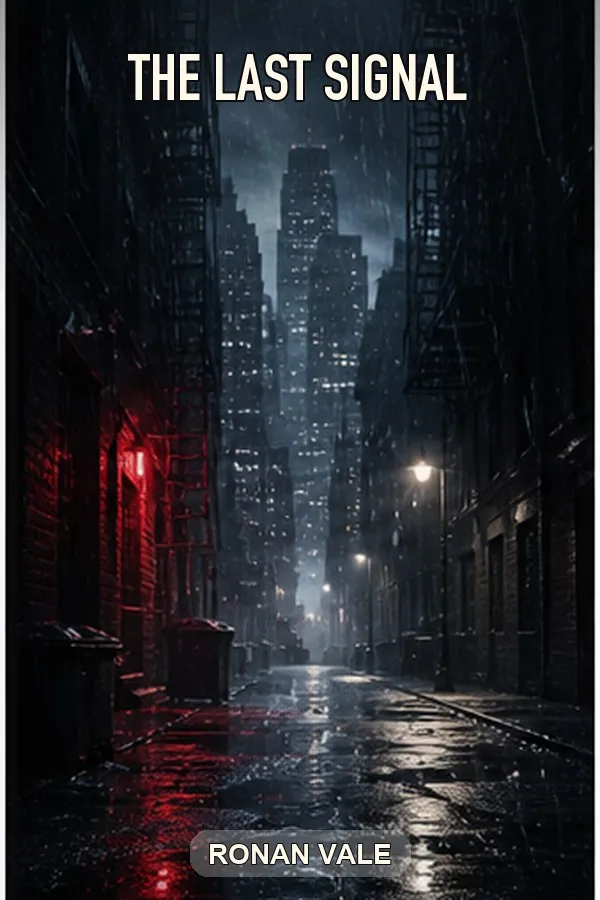
Rainy Noir Thriller Book Cover Template
A moody thriller cover template for detective fiction, crime novels, and suspense books that need fast genre recognition.
View template
Missing Girl Psychological Thriller Cover Template
A suspense-forward template for domestic thrillers, missing-person stories, and twist-heavy psychological fiction.
View template
Enchanted Forest Fantasy Book Cover Template
A fantasy book cover template for portal fantasy, magical quests, and epic series starters.
View template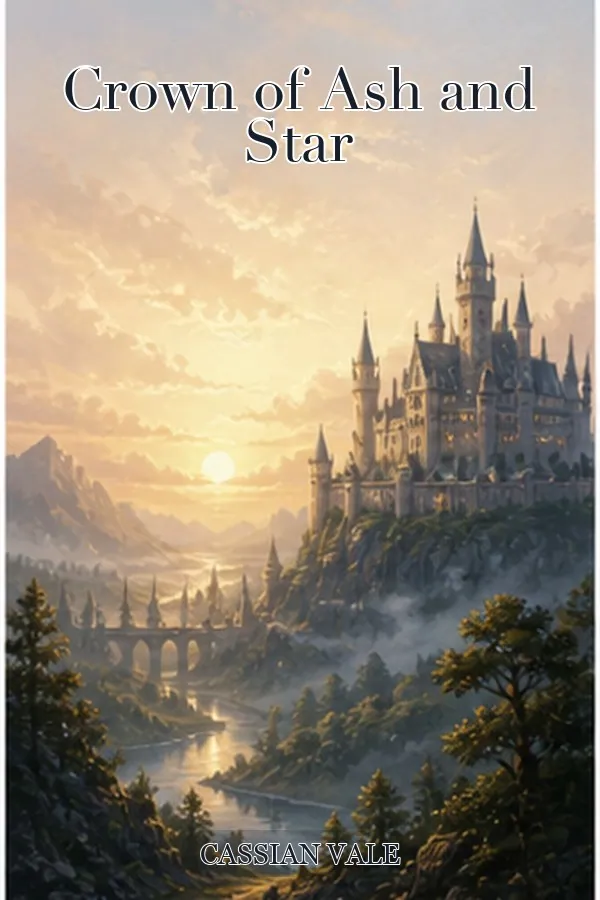
Dragon Quest Fantasy Book Cover Template
A high-drama fantasy cover for dragon quests, heroic adventure, and action-forward fantasy books.
View template