
AI Fantasy Book Cover Generator
Turn a fantasy premise into a focused cover direction for epic, dark, urban, and cozy stories. Compare the concept at thumbnail size, then finish the selected art for KDP.
One free preview, no card required. When a concept wins, move it into KDP Cover Creator for typography, spine, and paperback setup.
Fantasy Book Cover Generator
Fantasy Book Cover Generator
1 free preview available
Advanced options
Author name (optional)
Subtitle (optional)
Cover format
Best for ebook art or a front image you will finish later.
Genre
Style
Unwanted elements (optional)
BookCoversLab does not allow prompts for sexually explicit, pornographic, nude, fetish, or other NSFW imagery. See our Acceptable Use Policy.
Generated fantasy cover art
What is a fantasy book cover generator?
A fantasy book cover generator turns a short text brief into a fantasy cover concept. BookCoversLab locks the Fantasy genre, then your scene decides whether the result reads as epic fantasy, romantasy, dark fantasy, urban fantasy, or cozy fantasy. Each run returns one 600 by 900 pixel preview you can judge immediately.
The generated image is art direction, not an uploadable KDP file. A Kindle eBook cover is a single front image at 2,560 by 1,600 pixels. A KDP paperback needs a full wrap sized to the trim, a spine derived from the page count, 0.125 in bleed, and 300 DPI. Those numbers are applied in KDP Cover Creator after a concept wins.
- One free preview, watermarked, no account and no card required.
- Front cover mode targets the 1.6:1 Kindle eBook ratio.
- Full wrap mode is a visual draft; final geometry is set in KDP Cover Creator.
Six fantasy book cover examples to compare
These six concepts show different ways to communicate magic, scale, danger, and warmth. Compare the focal point, negative space, and palette in each one. Use the visual logic as a reference for your own brief rather than copying a title or stacking every fantasy symbol into one scene.
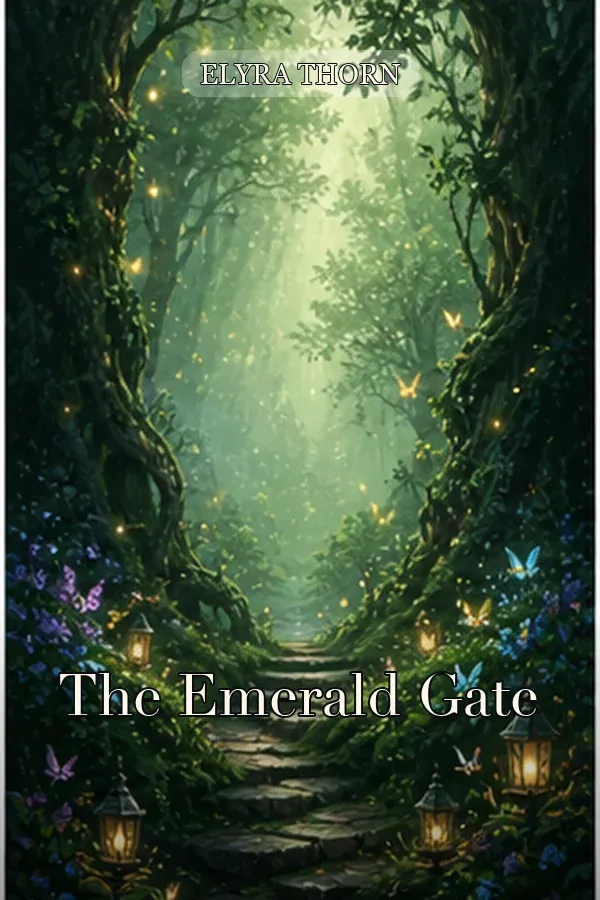
The Emerald Gate
Portal fantasy built on one lit threshold and a strong vertical path into the world.
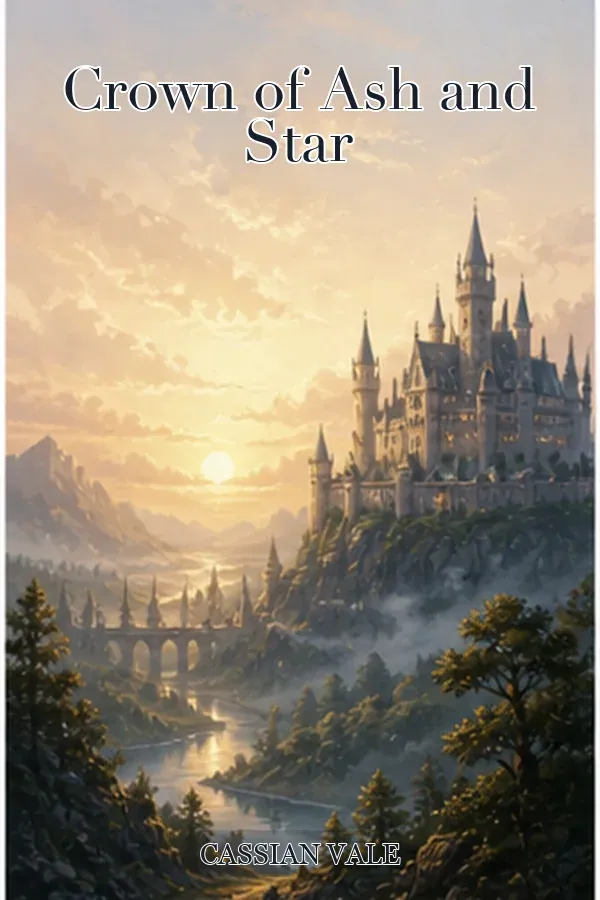
Crown of Ash and Star
Epic scale carried by architecture, distance, and a restrained metallic accent.
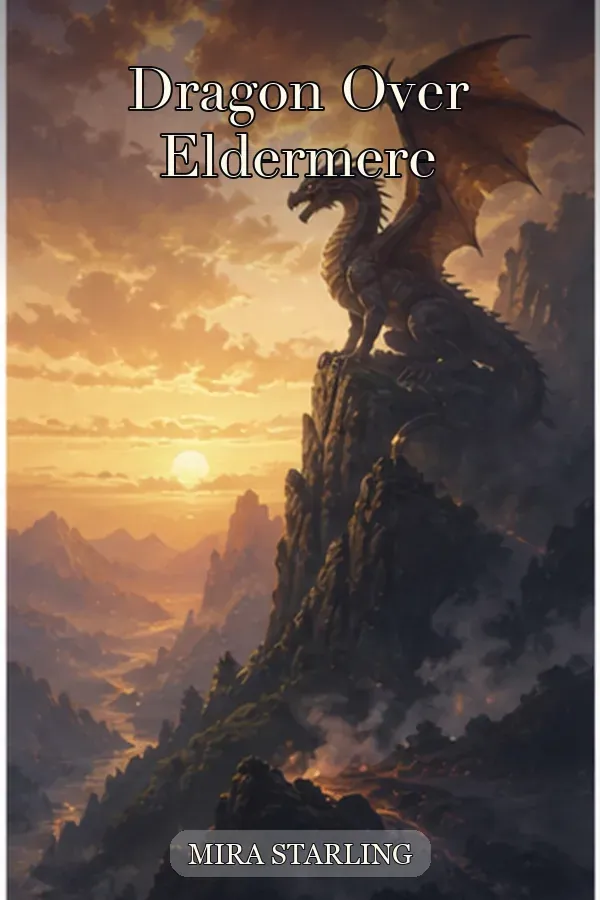
Dragon Over Eldermere
Creature-led direction that keeps the silhouette readable instead of detailed.
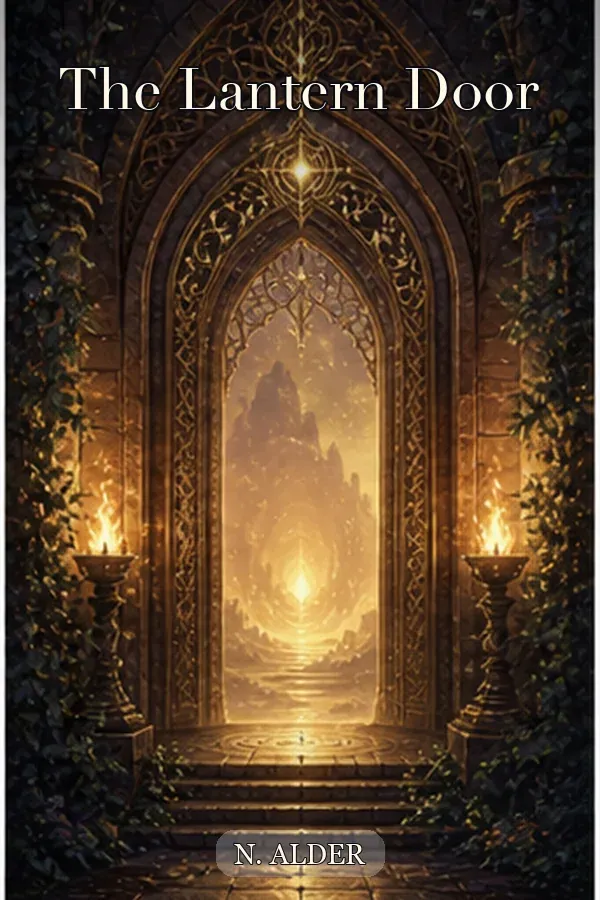
The Lantern Door
Quiet wonder from a single light source and generous negative space for the title.
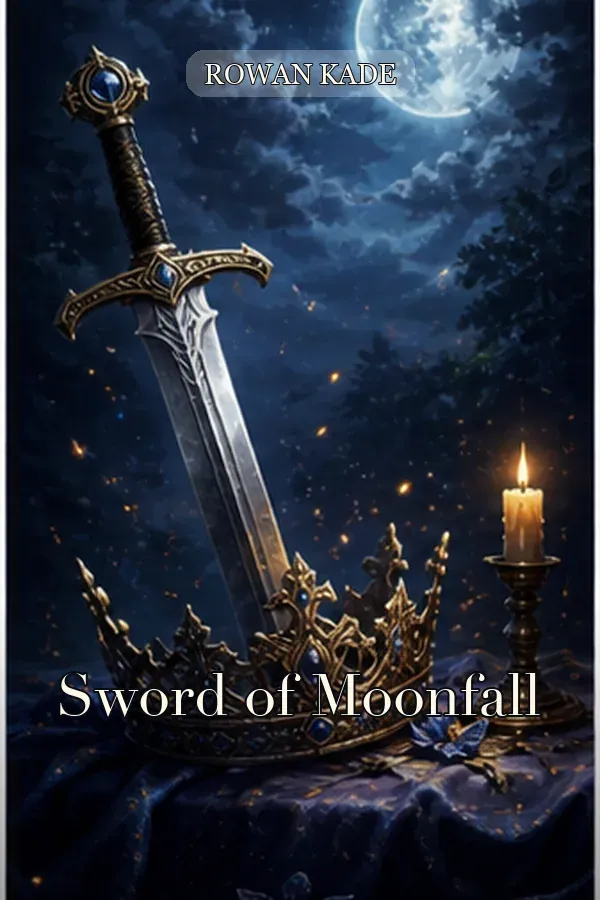
Sword of Moonfall
Object-led romantasy restraint using one iconic weapon on a dark ground.
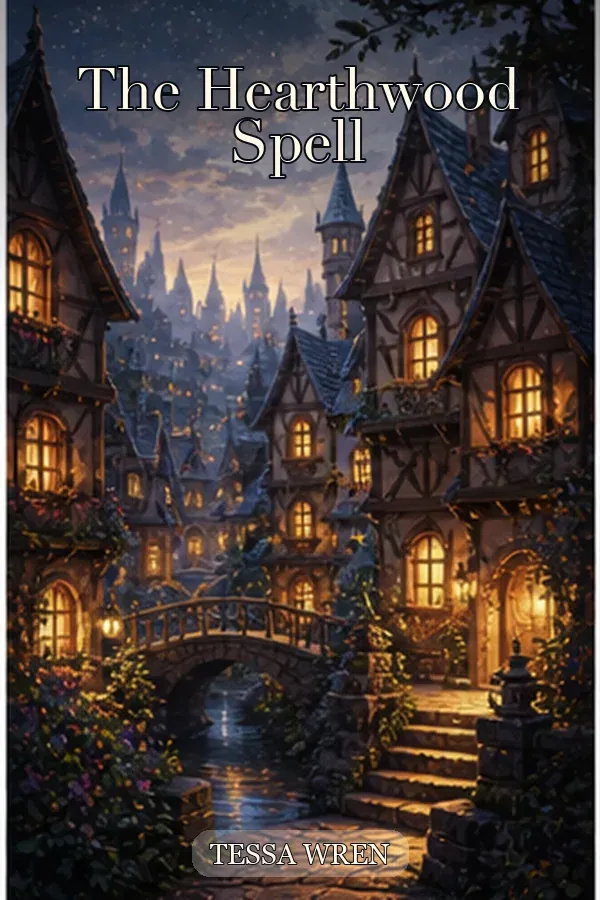
The Hearthwood Spell
Cozy fantasy warmth with soft illustration, small scale, and no visible threat.
Kindle eBook cover vs KDP paperback cover: the numbers
A concept becomes publishable only when it matches Amazon KDP geometry. Use this table to see exactly which specification applies to each format, and which of them this page does not decide for you.
| Specification | Kindle eBook cover | KDP paperback cover |
|---|---|---|
| What the file contains | Front cover only | One full wrap: back cover, spine, and front cover |
| Size | 2,560 by 1,600 pixels, a 1.6:1 ratio | (trim width x 2) + spine width + 0.25 in wide, by trim height + 0.25 in tall |
| Resolution | 300 DPI recommended | 300 DPI minimum |
| Bleed | Not used | 0.125 in on the top, bottom, and outside edges |
| Spine width | Not applicable | White paper: pages x 0.002252 in. Cream paper: pages x 0.0025 in |
| Spine text | Not applicable | Allowed only at 79 pages or more |
| File format | A single JPG or TIFF image | A single PDF under 650 MB, with 40 MB or less recommended |
| What this page gives you | A front-cover concept ready to refine | A visual draft only, with no calculated geometry |
Specifications follow the Amazon KDP paperback cover guidelines. Confirm your own trim size, spine, and page count with the KDP cover calculator before you export.
What this tool can do
Subgenre-aware visual language
Move from the broad Fantasy label to a recognizable reader promise. An epic brief can emphasize landscape scale with a small human figure; romantasy can reduce the frame to one ornamental object on a dark ground; cozy fantasy can favor warm windows, soft light, and low stakes. The output is a concrete image you can compare, not a list of prompt ideas.
Controlled ornament and title space
Describe one focal subject, the camera distance, light source, palette, and where the title should sit. Fantasy art accumulates detail quickly, so that input is used to protect hierarchy. It matters when a forest, castle, or spell effect could otherwise swallow the title area at the roughly 160 pixel width of an Amazon search thumbnail.
Front cover or full-wrap starting point
Front cover mode targets the 1.6:1 shape of a Kindle eBook cover. Full wrap mode shows how art may extend across back, spine, and front. The wrap stays a visual draft, because the spine cannot be known until the page count and paper stock are fixed.
Direct KDP production handoff
Carry the selected direction into KDP Cover Creator instead of rebuilding the workflow. Add exact title and author text, set the trim size and page count, protect the 0.125 in bleed and barcode clearance, and export at 300 DPI to match the book rather than a guessed canvas.
How to generate a fantasy cover in five steps
A useful brief starts with the reader promise and narrows the visual system before generation. Follow this sequence so each result can be judged against a specific goal instead of becoming another generic dragon illustration.
- Step 1
Choose Front cover for a digital concept, or Full wrap cover for an early paperback composition. Do not treat a generated wrap as final print geometry.
- Step 2
Name the subgenre, one focal subject, environment, viewpoint, palette, light source, and emotional tone. Reserve a quiet area for the title.
- Step 3
Generate the first direction and inspect the major shapes. Confirm that the portal, creature, castle, weapon, or figure stays understandable without zooming in.
- Step 4
Shrink the result to roughly 160 pixels wide, the size of an Amazon search thumbnail. If it turns busy or generic, change one variable such as camera distance, ornament density, palette, or focal scale, then regenerate.
- Step 5
Move the winning concept into KDP Cover Creator. Set the trim size, the page-count-derived spine, 0.125 in bleed, barcode clearance, and a 300 DPI export.
Choose a fantasy cover direction by subgenre
Readers use visual shorthand to decide what kind of world a book offers. Use this table to translate a subgenre into concrete scene inputs, while leaving room for the story-specific idea that makes the cover memorable.
| Direction | Visual signals | Best for |
|---|---|---|
| Epic / high fantasy | Landscape scale, kingdoms and mountain ranges, a small human or rider silhouette, painterly light, warm metallic accents | Quest narratives, political intrigue, multi-book series, and secondary-world worldbuilding |
| Romantasy | Dark or near-black ground, one iconic object such as a wing, blade, crown, or snake, illustrated rendering, chunky serif title space | Fae courts, bonded rivals, enemies-to-lovers arcs, and romance-forward magical stories |
| Dark fantasy / grimdark | Heavy contrast, weathered armor and ruins, desaturated palette with one blood or ember accent, oppressive sky, visible cost | Morally gray protagonists, war and siege plots, cursed bloodlines, and bleak secondary worlds |
| Urban fantasy | Modern night city, wet reflections, one figure with a supernatural cue, neon or streetlight color, contemporary silhouette | Detective and hunter series, shifters and witches in modern settings, and hidden-world stories |
| Cozy fantasy | Warm interior or village light, soft illustrated texture, small friendly scale, green and amber palette, no visible threat | Bookshops and teahouses, low-stakes magic, found family, and comfort-read series |
Common fantasy cover workflows
This page is most useful when the manuscript direction is known but the strongest visual promise is not. Each scenario begins with a different input and ends with a concept that moves into the same production step.
Testing a debut eBook concept
Input: a premise, subgenre, central image, and desired mood. Action: generate a vertical front cover, compare it against the six examples, and check it at roughly 160 pixels wide. Output: one focused art direction with enough negative space for an editable title, ready to scale to the 2,560 by 1,600 pixel Kindle size.
Planning a fantasy series
Input: the series palette, recurring motif, composition zone, and the unique object for the current volume. Action: run variants while keeping the shared visual rules stable. Output: a repeatable direction plus a selected concept that can be rebuilt in one editable layout, so titles, numbering, and author treatment stay consistent across volumes.
Turning a premise into a paperback wrap
Input: a chosen front-cover idea plus the intended back-cover atmosphere. Action: test Full wrap mode, keep the center calm, and check whether the landscape can extend without losing the front focal point. Output: a wrap concept to finish once the trim size, paper stock, and page count are known, since a 200-page white-paper book needs a 0.4504 in spine and a 300-page book needs 0.6756 in.
Quality checks before you publish
Visual exploration can move fast, but a beautiful fantasy illustration is not automatically a strong retail cover or a valid KDP file. Review these four limits before you approve a direction.
Replace generated typography
Image models can misspell titles, merge letters, or invent decorative script, and ornate fantasy lettering fails more often than clean type. Treat visible lettering as a placeholder. Add the exact title, subtitle, series, and author text in an editable layout, keeping it at 7 point or larger and at least 0.125 in inside the trim line.
Inspect anatomy and continuity
Check faces, hands, wings, armor joints, weapon proportions, staircases, and architectural repetition at full size. Across a series, record the composition and style rules, because separate generations do not guarantee the same character, creature, or crest.
Protect thumbnail hierarchy
Fantasy scenes accumulate trees, towers, sparks, and glow until nothing leads. Reduce the cover to one dominant shape, one supporting environment, and one title zone. Test it at roughly 160 pixels wide, the size Amazon shows in search results, before spending time on production details.
Calculate KDP geometry separately
A generated wrap cannot know the spine or safe zones on its own. A 6 by 9 inch paperback with 200 pages on white paper needs a 0.4504 in spine and a 12.7004 by 9.25 inch canvas once 0.125 in bleed is added on each outside edge. Set those numbers in KDP Cover Creator, export at 300 DPI, then confirm the upload in the KDP previewer.
AI Fantasy Book Cover Generator FAQ
A fantasy book cover generator turns a short creative brief into a fantasy cover concept. You describe the world, focal subject, magic system, palette, and mood, then judge the result at roughly 160 pixels wide before adding final typography or print geometry.
Yes. The locked Fantasy category keeps the broad genre signal stable while your scene decides the subgenre. You can ask for epic scale and kingdoms, grimdark weight, urban fantasy night streets, or cozy warmth. For an object-led fantasy romance, use the romantasy book cover generator instead of mixing that promise into this page.
You can create a front-cover concept for a Kindle eBook or a full-wrap visual starting point for paperback. A publishable KDP paperback file additionally needs the exact trim size, a page-count-derived spine, 0.125 in bleed on the top, bottom, and outside edges, 300 DPI resolution, and barcode clearance. Those are set in KDP Cover Creator, not in the image model.
Generated lettering may be misspelled, warped, or impossible to edit, and decorative fantasy typefaces make this worse. Treat any text inside the image as a placeholder. Reserve a calm title area in the prompt, then set the exact title, subtitle, series line, and author name as editable text in KDP Cover Creator.
Give the image one story-specific idea instead of a checklist of fantasy objects. A single crown resting on cracked stone, one lantern-lit doorway, or one silhouetted rider against a storm reads faster than a dragon, a castle, a sword, and a mage in the same frame. Control scale, viewpoint, light source, and palette.
Bestselling fantasy converges on large serif or decorative display titles with a warm metallic accent over a dark, contrast-heavy ground. Keep the ornament restrained so the letterforms survive at roughly 160 pixels wide, and add that type as editable text rather than asking the model to draw it. KDP requires cover text to be at least 7 point and to sit at least 0.125 in inside the trim line.
Yes. Use the romantasy book cover generator for one iconic object such as a wing, blade, snake, or crown. A full narrative battle scene belongs on this fantasy page, not on that one.
You can generate one cover preview free, with no account and no card. That first preview is watermarked. Creating a free account unlocks the watermark-free HD file for it. Generations after the first one draw on account credits.
The first preview costs nothing. Beyond that, generations and clean exports are paid from account credits rather than a recurring subscription, and the current credit prices are shown on the pricing page and inside the tool before you spend anything.
Amazon KDP does not prohibit AI-generated cover art, but during publishing it asks you to disclose AI-generated content, so answer that question accurately. You remain responsible for making sure the cover does not copy a living artist style presented as theirs, reuse a trademarked character, or misrepresent the book. Check the current KDP content guidelines before you upload, because these rules change.
Turn the selected concept into a production cover
Once a clear subgenre signal survives at roughly 160 pixels wide, stop regenerating and move into production. Add exact typography, set the final book specifications, and inspect safe zones in KDP Cover Creator. Browse the genre library when you need another visual direction before committing.
Start with the Fantasy Book Cover Generator
Define one memorable world, generate a focused visual direction, and carry the strongest concept into a print-ready KDP workflow.
Generate a fantasy coverLast updated: 2026-09-15