Free Planner Cover Design Maker for KDP

Describe your planner's theme, see a cover preview free, then turn it into a print-ready KDP wrap with spine and back.

Planner cover brief

1 free preview available

Advanced options

Author name (optional)

Subtitle (optional)

Cover format

Best for ebook art or a front image you will finish later.

Genre

Planner

Style

Unwanted elements (optional)

BookCoversLab does not allow prompts for sexually explicit, pornographic, nude, fetish, or other NSFW imagery. See our Acceptable Use Policy.

Planner cover preview

2027 Weekly Planner front cover sample

This planner cover design maker creates the printed cover for a planner you publish on Amazon KDP: front art first, then the spine and back cover around it. It does not make a removable leather, fabric, or vinyl cover that slips over a planner you already own.

A planner cover design has a narrow job. Buyers scroll KDP search results at thumbnail size, so the cover has to show the year, the format, and the niche in one look: weekly or daily, dated or undated, teacher, budget, or wellness. Type the planner title, pick a style, describe one motif, and the generator returns a front cover preview you can judge before you build the wrap.

When the planner cover design works, continue to KDP Cover Creator. That is where the trim size, page count, spine width, bleed, and barcode area are set from your real interior, and where the print PDF is exported.

Which planner cover design ideas can this tool make?

Each planner cover design below came from this generator's image model with the brief shown under it. The title was drawn inside the image here; on a real listing you set the title and spine text in KDP Cover Creator so they print sharp.

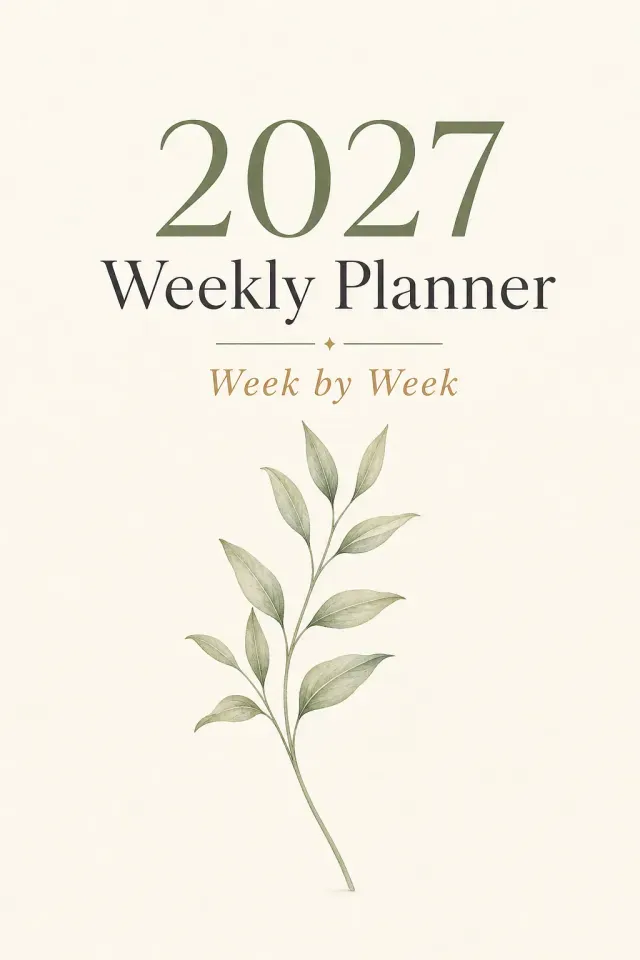
Planner cover design for a 2027 weekly planner with a sage botanical sprig

2027 Weekly Planner

Minimal style. One sage botanical sprig on off-white paper.

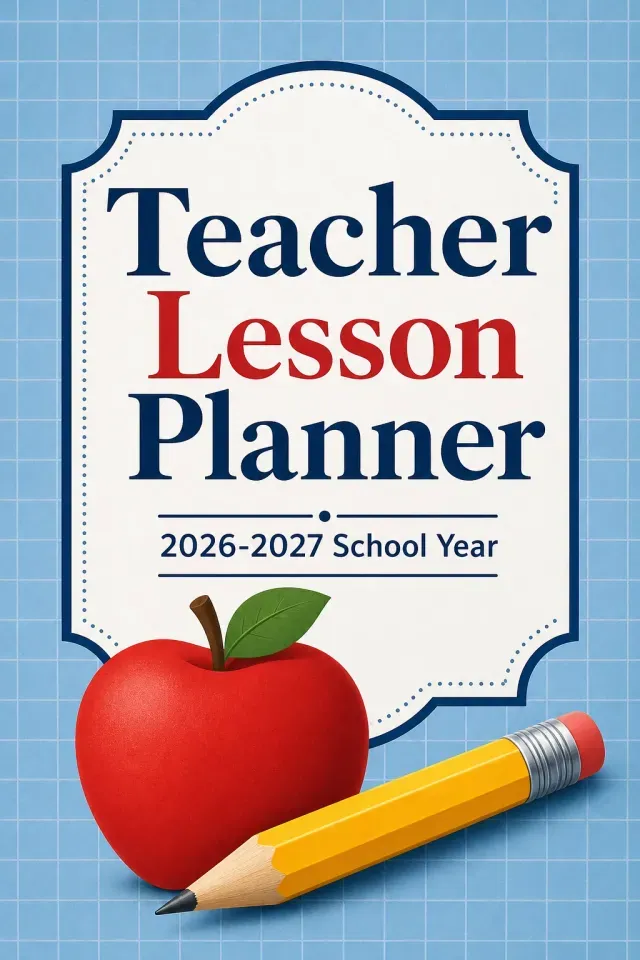
Teacher lesson planner cover with apple and pencil icons

Teacher Lesson Planner

Modern style. Apple and pencil icons on a soft blue grid.

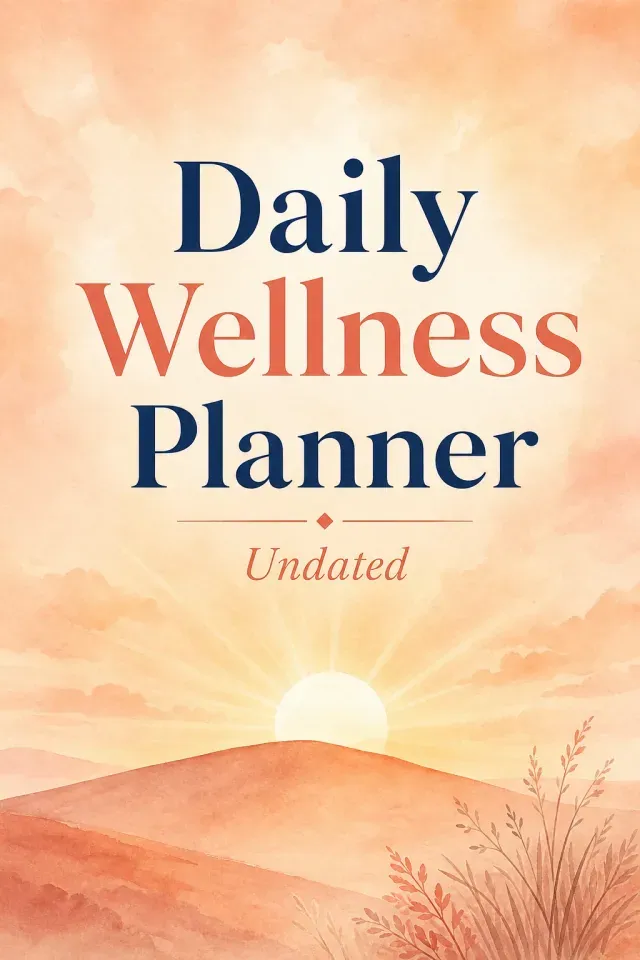
Undated daily wellness planner cover with a watercolor sunrise

Daily Wellness Planner

Watercolor style. Peach sunrise over one hill line.

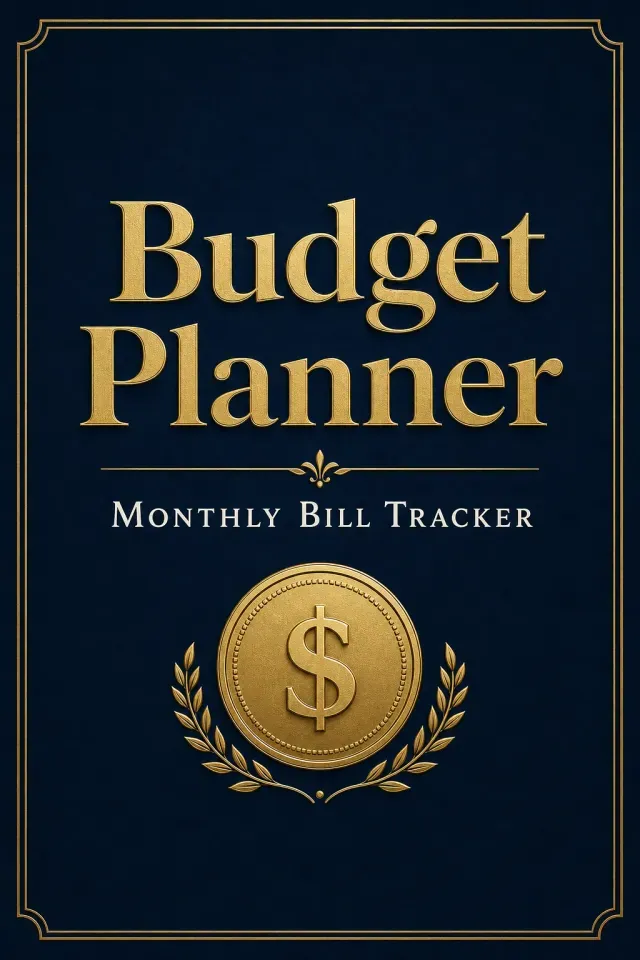
Budget planner cover in navy and gold

Budget Planner

Typographic style. Navy with a thin gold frame.

Why do planner covers get rejected or ignored on KDP?

Most planner covers are made in a template app at front-cover size only. KDP prints one file that wraps the back, spine, and front, with 0.125 inch of bleed on the outside edges, so a front-only planner cover design has to be rebuilt before upload.

The spine is the second trap. Its width comes from the page count and paper, about 0.002252 inch per page on white paper, so a 120-page planner has a spine near 0.27 inch. KDP allows spine text only on books with more than 79 pages, and many planners are close to that line.

The third is sameness. The same floral wreath and thin script title appear on hundreds of planners. A planner cover design that names the niche and the date range in large type is easier to read at thumbnail size than a pretty pattern with small text.

Why use this planner cover design maker?

Locked to planners

The generator stays on the Journal / Planner category, so a brief does not drift into a novel scene with characters. Your scene still chooses the motif and colors of each planner cover design.

First preview is free

You can generate one planner cover design preview without paying. More generations use AI credits.

KDP sizes on the next step

KDP Cover Creator knows trims such as 6 x 9 and 8.5 x 11 and calculates the spine from your page count and paper.

Real text, not drawn text

The title, year, and spine text are added as editable type in Cover Creator instead of trusting letters painted into an image.

Why should planner covers work as a series?

One look across a series

Planner sellers publish weekly, daily, and undated versions, then a new year every autumn. Keep the same motif and style in the brief and change only the title, and the whole planner cover design set reads as one brand.

A new year is a text change

Because the year sits in an editable text layer and not inside the artwork, the next edition of a planner cover design needs a new title and a new export, not a new image.

What should you type for a planner cover design?

Four fields shape each planner cover design preview. Short answers work better than long ones.

Book title
2027 Weekly Planner, Teacher Lesson Planner, Budget Planner.
Style
Minimal, Modern, Watercolor, and Typographic suit most planners. Photography rarely does.
Scene
One motif plus a color, such as "a single sage botanical sprig on off-white paper."
Unwanted elements
People, busy collages, extra small text.

How do I make a planner cover for KDP?

Five steps take a planner cover design from an idea to a file KDP accepts.

  1. Step 1

    Type the planner title and pick a style that fits the niche.

  2. Step 2

    Describe one motif and a color, then generate the free preview.

  3. Step 3

    Regenerate or edit until the planner cover design reads clearly at thumbnail size.

  4. Step 4

    Click Make This Cover Print-Ready, then set the trim, page count, and paper in KDP Cover Creator.

  5. Step 5

    Add the title, year, spine, and back text, run the preflight checks, and export the print PDF.

Which planner sellers use this maker?

Teacher planner sellers

Start from "Teacher Lesson Planner 2026–2027", describe apple and pencil icons on a blue grid, and get a classroom-ready planner cover design in one preview. Finish it at 8.5 x 11, the size most lesson planners use.

Undated wellness planners

Use a watercolor sunrise or a calm botanical and keep "Undated" in the subtitle. With no year on the cover, the same planner cover design works for every reprint.

Budget and finance planners

A typographic style in navy and gold makes "Budget Planner" the largest element, which is what someone searching for a bill tracker scans for first.

Which tool should you start with?

Pick the starting point by what you already have.

You haveStart hereWhy
Only a planner ideaThis planner cover makerGenerates a planner cover design from a short brief; the first preview is free.
A front cover made in Canva or another appKDP Cover CreatorUpload the image as the front, then build the spine and back to KDP size.
A cover, but no idea of the full sizeKDP cover size calculatorShows the full wrap width and spine for your trim and page count.
A coloring book, not a plannerColoring book cover makerUses coloring pages as cover art and lays out a coloring back cover.

What happens to the file after the preview?

The preview is web-resolution artwork at a 2:3 front-cover ratio, good for judging the planner cover design but not for print. Download Preview Image saves that version.

Make This Cover Print-Ready upscales the artwork and opens it in KDP Cover Creator. The PDF you upload to KDP comes from there, sized to your trim, page count, and paper at 300 DPI, and it is uploaded as the paperback cover, separate from the interior file.

Planner cover design FAQ

Is this for a removable planner cover?

No. This makes the printed cover of a planner you publish, with the front, spine, and back in one KDP file. A leather, fabric, or vinyl cover that wraps a planner you already own is a stationery product, not something a cover generator makes.

What size should a KDP planner cover be?

The full cover is two trim widths plus the spine plus 0.125 inch of bleed on each outside edge, and the trim height plus 0.25 inch. For a 6 x 9 planner with 120 white pages that is about 12.52 x 9.25 inches. KDP Cover Creator calculates it from your page count, so you do not need to work it out by hand.

Can I put text on a planner's spine?

Only if the planner has more than 79 pages, because KDP does not allow spine text on thinner books. Below that, keep the spine as a plain color that matches the front.

Should the planner title be part of the AI image?

Use the preview to judge the layout of the planner cover design, then set the final title and year as text in KDP Cover Creator. Letters drawn by an image model can blur at print size or misspell a word, and a text layer is easy to update for next year.

Can I use a planner cover I made in Canva?

Yes. Skip the generator, open KDP Cover Creator, and upload your planner cover design as the front image. Cover Creator then builds the spine and back to KDP size. Make sure the template and graphics you used allow selling the finished book.

Start your planner cover

Type the planner title, describe one motif, and see your first planner cover design preview free. Finish the full wrap in KDP Cover Creator when it looks right.

Generate a planner cover

Last updated: 2026-10-21