Free Notebook Cover Design Maker for KDP

Describe a pattern or motif, see a notebook cover preview free, then turn it into a print-ready KDP wrap with spine and back.

Notebook cover brief

1 free preview available

Advanced options

Author name (optional)

Subtitle (optional)

Cover format

Best for ebook art or a front image you will finish later.

Genre

Notebook

Style

Unwanted elements (optional)

BookCoversLab does not allow prompts for sexually explicit, pornographic, nude, fetish, or other NSFW imagery. See our Acceptable Use Policy.

Notebook cover preview

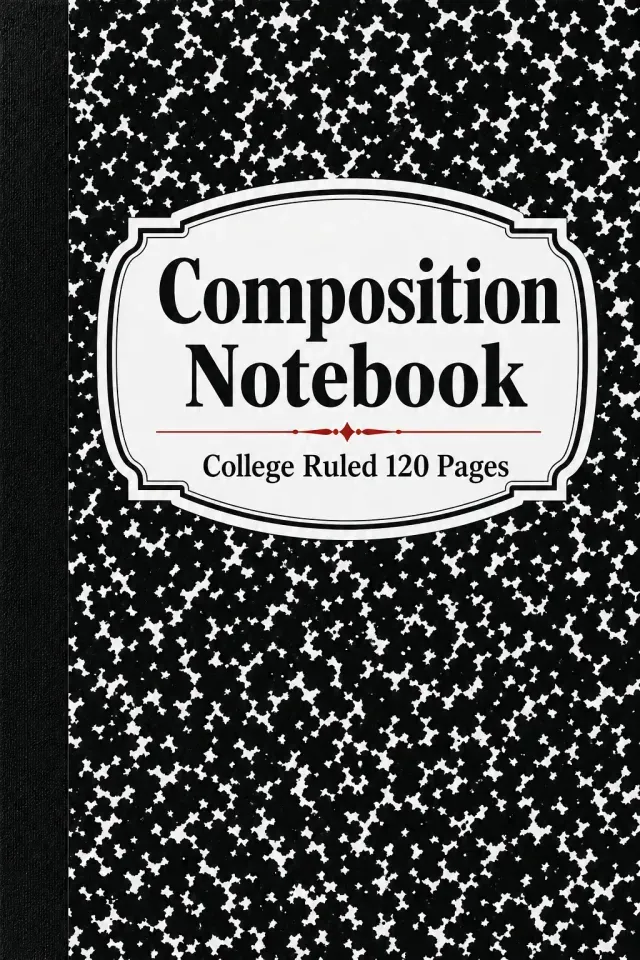
Composition Notebook front cover sample

This notebook cover design maker creates the printed cover for a lined, dot grid, or composition notebook you publish on KDP. It does not make a fabric or leather sleeve for a notebook you already own, and it is not a cut file for a craft cover.

Blank notebooks compete on look and specs. A notebook cover design needs a pattern or motif that stands out, a clear title, and a line that tells the buyer what is inside, such as "College Ruled, 120 Pages". Type the title, pick a style, describe the pattern, and the generator returns a front cover preview.

Notebook sellers usually publish many covers on one interior. When a notebook cover design works, continue to KDP Cover Creator, set the trim and page count, and export the print PDF.

Which notebook cover design ideas can this tool make?

Each notebook cover design below came from this generator's image model with the brief shown under it. The title was drawn inside the image here; for print you set the title and spec line in KDP Cover Creator.

Notebook cover design with a black and white marble pattern

Composition Notebook

Typographic style. Black and white marble pattern.

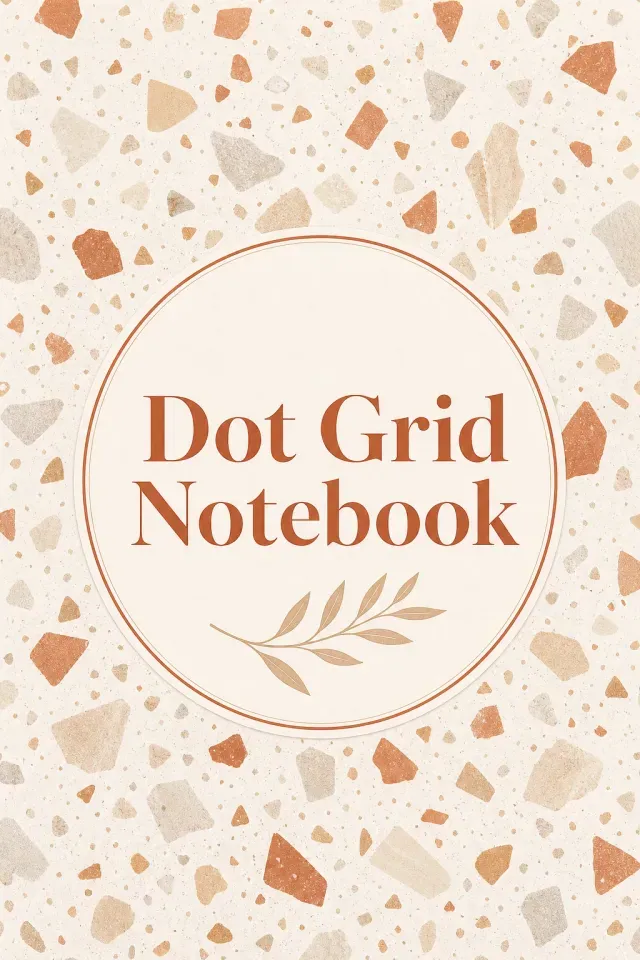
Dot grid notebook cover with a terrazzo pattern

Dot Grid Notebook

Minimal style. Sand and terracotta terrazzo.

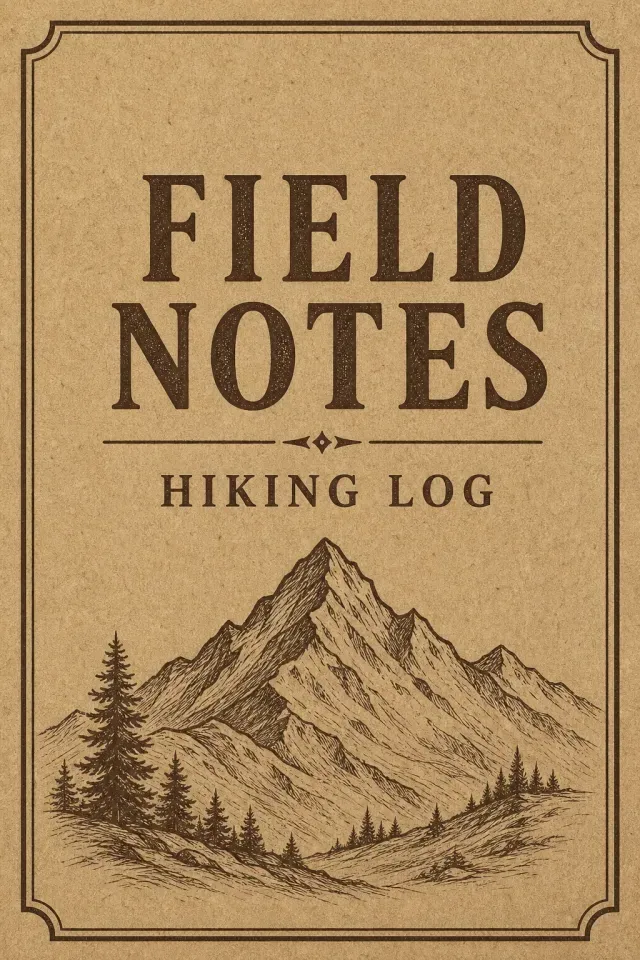
Field notes hiking notebook cover on kraft paper

Field Notes

Vintage style. Kraft paper and one mountain line.

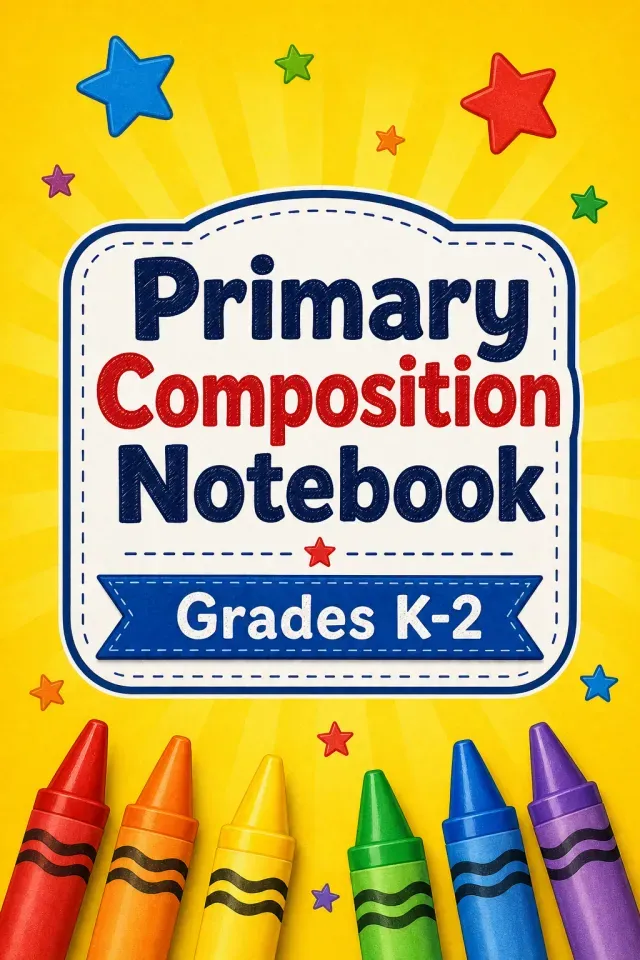
Primary composition notebook cover with crayons for kids

Primary Composition Notebook

Illustration style. Crayons and stars on yellow.

Why do notebook covers get lost on KDP?

The same marble, floral, and kraft looks fill every notebook search. Without a niche angle or a clear spec line, a new notebook cover design looks identical to the hundred listings around it.

Notebooks are also published in sets: one interior, many covers. Making each cover in a template app at front size, then rebuilding it to KDP wrap size, is where most of the time goes.

Thin notebooks with 79 pages or fewer cannot carry spine text on KDP, so a notebook cover design that depends on a spine title has to change before upload.

Why use this notebook cover design maker?

Stationery styling by default

The generator stays on the Journal / Planner category, which keeps notebook covers to patterns, simple objects, and clean title space.

First preview is free

Generate one notebook cover design preview without paying. More generations use AI credits.

Many covers, one interior

Change only the scene to get a new notebook cover design for the same interior. The trim and page count stay the same for every cover in the set.

Editable spec line

The title and a line such as "College Ruled, 120 Pages" are set as text in Cover Creator, so they print crisp and change per variant.

Why does a niche angle matter for a notebook?

It answers a real search

A notebook for nurses, hikers, or K–2 students has a buyer who searches those words. Put the niche in the title and the scene, and the notebook cover design answers that search instead of a generic one.

It builds a series

Keep the style and change the motif, a mountain for hikers or a stethoscope for nurses, and the set reads as one brand on your author page.

What should you type for a notebook cover design?

Four fields shape each notebook cover design preview. A pattern and one accent is enough.

Book title
Composition Notebook, Dot Grid Notebook, Field Notes.
Style
Typographic, Minimal, Vintage, or Illustration for kids notebooks.
Scene
One pattern or motif, such as "classic black and white marble pattern with a white title label."
Unwanted elements
People, desk photos, extra small text.

How do I make a notebook cover for KDP?

Five steps take a notebook cover design from a pattern idea to a print file.

  1. Step 1

    Type the notebook title and choose a style.

  2. Step 2

    Describe one pattern or motif, then generate the free preview.

  3. Step 3

    Regenerate until the pattern and title label of the notebook cover design read at thumbnail size.

  4. Step 4

    Click Make This Cover Print-Ready, then set the trim, page count, and paper in KDP Cover Creator.

  5. Step 5

    Add the title, spec line, and back text, run the checks, and export the print PDF.

Which notebook sellers use this maker?

Composition and school notebooks

Marble patterns, primary-color crayons, or simple stars with "Grades K–2" or "College Ruled" in the subtitle fit back-to-school searches.

Dot grid and bullet journal notebooks

Terrazzo, geometric, or minimal line patterns give a dot grid notebook cover design that does not look like a school book.

Niche log and field notebooks

Kraft textures with a mountain, a fishing fly, or a garden tool make a hiking, fishing, or garden log feel made for its purpose.

Which tool should you start with?

Pick the starting point by what you already have.

You haveStart hereWhy
Only a notebook ideaThis notebook cover makerGenerates a notebook cover design from a pattern or motif; the first preview is free.
A guided journal with promptsJournal cover design makerTheme-led covers built around one image.
A pattern you made elsewhereKDP Cover CreatorUpload the image as the front, then build the spine and back to KDP size.
A cover, but no idea of the full sizeKDP cover size calculatorShows the full wrap width and spine for your trim and page count.

What happens to the file after the preview?

The preview is web-resolution artwork at a 2:3 front-cover ratio, good for judging the notebook cover design but not for print. Download Preview Image saves that version.

Make This Cover Print-Ready upscales the artwork and opens it in KDP Cover Creator. The PDF you upload to KDP comes from there, sized to your trim, page count, and paper at 300 DPI.

Notebook cover design FAQ

Is this a notebook sleeve or a craft project?

No. This makes the printed cover of a notebook you publish on KDP, with the front, spine, and back in one print file. Fabric sleeves, leather covers, and cut files for craft machines are physical projects.

What size is a 6 x 9 notebook cover with 120 pages?

On white paper the spine is about 0.27 inch, so the full cover is about 12.52 x 9.25 inches, including 0.125 inch of bleed on each outside edge. An 8.5 x 11 notebook with 120 pages is about 17.52 x 11.25 inches.

Can a notebook have spine text?

Only with more than 79 pages. A 60-page notebook must keep the spine free of text, so put the title on the front and use the spine as a solid color.

Should the notebook title be part of the AI image?

Use the preview to judge the layout of the notebook cover design, then set the title and spec line as text in KDP Cover Creator. Letters drawn by an image model can blur at print size, and text layers are easy to change for each variant.

Can I reuse one notebook cover design for different interiors?

Yes, the front art can be reused. Each interior with a different trim or page count needs its own wrap because the spine width changes, so export a separate PDF for each.

Start your notebook cover

Type the notebook title, describe one pattern, and see your first notebook cover design preview free. Finish the full wrap in KDP Cover Creator when it looks right.

Generate a notebook cover

Last updated: 2026-10-21