
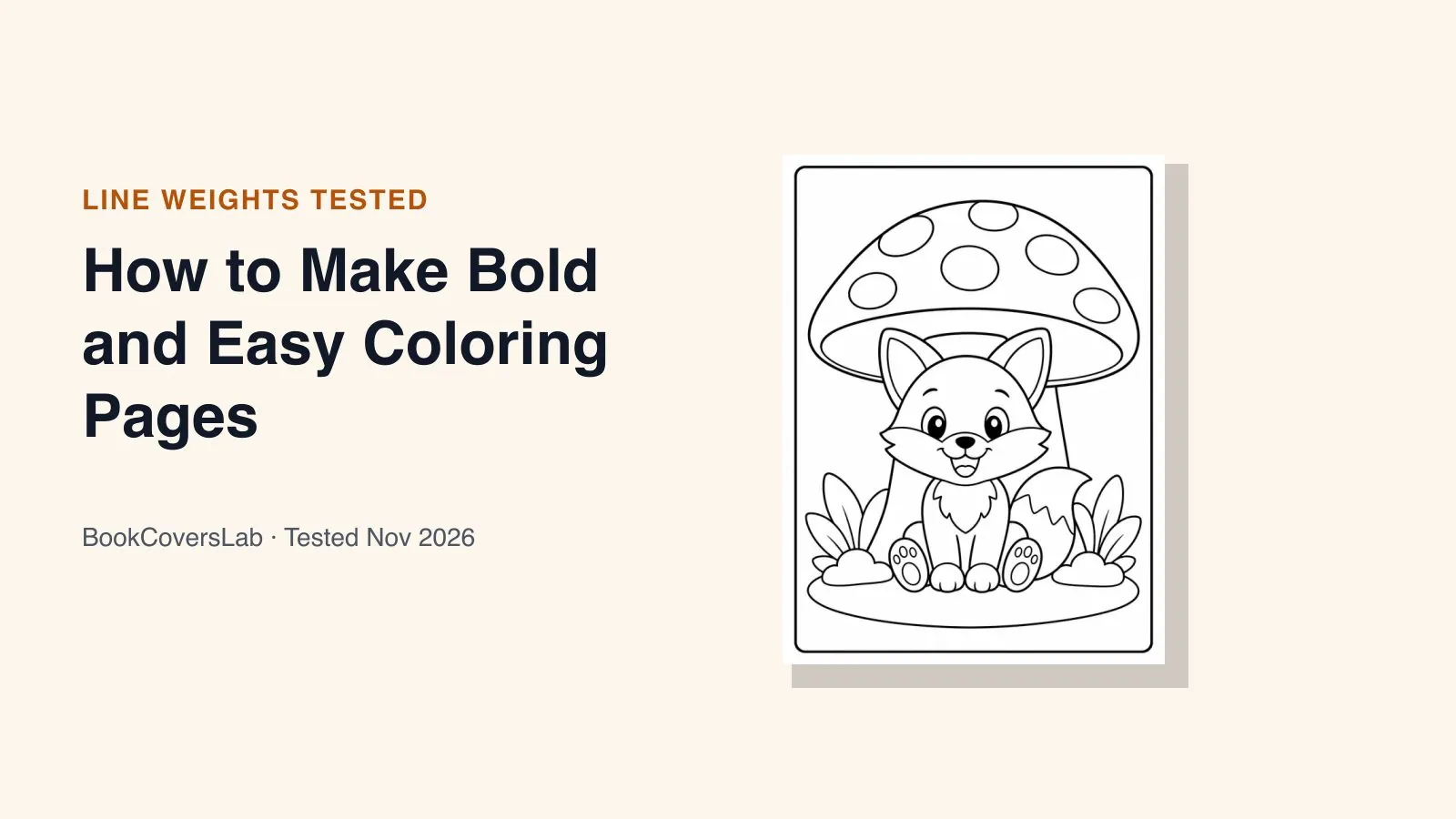
How to Make Bold and Easy Coloring Pages: Line Weights, Prompts and Tests
Bold and easy coloring pages need thick outlines (about 1.5–3 mm at print size), large simple shapes and little fine detail. You can get there two ways: prompt the AI for bold, simple line art, or thicken the lines of a finished page. In our test, raising the formatter's Thicken Lines slider from 0 to 100 took a page from 12.1% to 37.0% ink coverage. At the top setting the small petals in a rose merged into solid black, so the real skill is knowing where to stop.
This guide covers what "bold and easy" means in print terms, prompts that produce it, how to add line weight after generation, and the test we ran. The AI Coloring Book Generator has Bold & Easy Relaxation and Cute Characters & Bold Easy Scenes styles for this, and the coloring book formatter can thicken lines on pages you already have.
Key Takeaways
- Target 1.5–3 mm outlines at print size (about 18–35 px at 300 DPI). KDP's minimum is 0.75 pt (0.26 mm).
- Prompt for "bold thick outlines, simple large shapes, minimal detail, no shading."
- Clean to pure black and white first, then thicken.
- Thickening has a ceiling: at Thicken Lines 100 our test page reached 37% ink and small shapes filled in.
What makes a coloring page "bold and easy"?
Four things, all visible from arm's length:
| Feature | Bold and easy | Detailed adult page |
|---|---|---|
| Line weight | About 1.5–3 mm | About 0.5–1 mm |
| Shapes per page | 10–40 large areas | Hundreds of small areas |
| Smallest area to color | About a fingertip or larger | A few millimeters |
| Subject | One clear subject, simple background | Patterns, scenes, textures |
Line weights are our recommendation, not a KDP rule. KDP sets only a minimum: lines at least 0.75 pt (0.01 in) for print (formatting help).
The people who buy these books are why the lines matter: seniors and people with arthritis or low vision, beginners who want to finish a page in one sitting, and young kids using thick markers. A 0.5 mm line is hard to see and easy to cross; a 2 mm line forgives a shaky hand.
How thick is that in pixels?
At 300 DPI, one pixel is 0.085 mm. So:
| Line weight | Points | Pixels at 300 DPI | Use |
|---|---|---|---|
| 0.26 mm | 0.75 pt | 3 px | KDP minimum |
| 0.5 mm | 1.4 pt | 6 px | Fine detail, detailed adult pages |
| 1 mm | 2.8 pt | 12 px | Standard kids' pages |
| 1.5 mm | 4.3 pt | 18 px | Bold and easy, lower end |
| 2 mm | 5.7 pt | 24 px | Bold and easy |
| 3 mm | 8.5 pt | 35 px | Very bold, large print |
If your page is smaller than print size (for example a 1024 px AI image), measure lines after you upscale to 300 DPI, not before.
What prompt makes bold and easy coloring pages?
Name one subject and ask for the line style directly. Then exclude what makes pages busy:
[subject], coloring page, bold thick black outlines,
simple large shapes, minimal detail, white background,
no shading, no gray, no hatching, no small patterns
Examples that work well:
- a cozy cup of cocoa with marshmallows, coloring page, bold thick black outlines, simple large shapes…
- a smiling sunflower in a pot, coloring page, bold thick black outlines…
- a vintage truck with a Christmas tree, coloring page, bold thick black outlines…
Words to avoid: intricate, detailed, mandala, zentangle, realistic, texture, fur detail. Each one pulls the model toward small shapes.
Even with a good prompt, AI tools draw lines thinner than they look on screen and add small details in backgrounds. Plan a cleanup and thickening pass. If you generate in the AI Coloring Book Generator, pick the audience and a bold style (Bold & Easy Relaxation for adults, Big Shapes & Simple Lines or Cute Characters & Bold Easy Scenes for kids); the prompts ask for closed, uniform outlines and roomy coloring areas.
How do you make lines thicker on an existing page?
Clean first, then thicken. Thickening a gray, soft page thickens the haze too.
- Convert to pure black and white. See why AI pages print gray and how to fix it.
- Dilate the black lines:
- Photoshop: Filter > Other > Minimum (on a black-on-white page, Minimum grows dark areas). 1–3 px at a time.
- GIMP: select black by color, Select > Grow by a few pixels, fill black.
- Coloring book formatter: the Thicken Lines slider in Auto Repair.
- Check small shapes such as eyes, flower centers and letters. Thickening closes them first.
- Erase anything that filled in, or lower the setting.
How much does Thicken Lines change a page?
We ran the formatter's cleanup code on a teapot-and-rose page from our sample book (600 x 800 px preview) at four Thicken Lines settings, keeping the other sliders fixed (Remove More Gray 52, Keep More Detail 62):
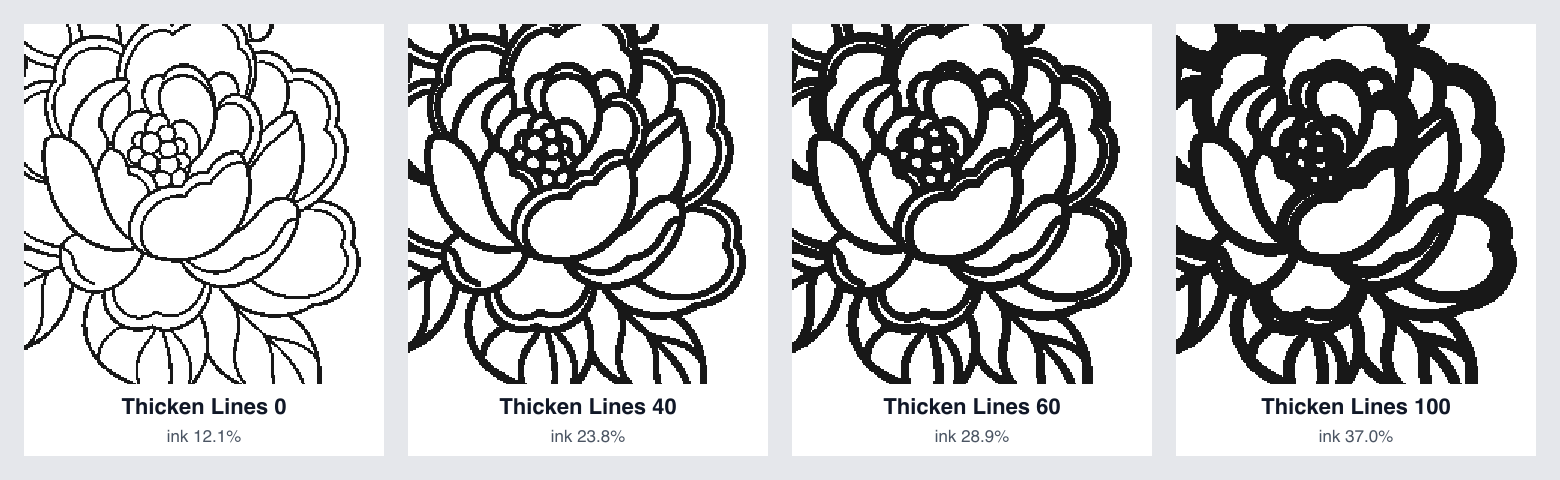
| Thicken Lines | Ink coverage | What we saw |
|---|---|---|
| 0 | 12.1% | Clean but thin; fine for detailed adult pages |
| 40 | 23.8% | Clearly bold; every shape still open |
| 60 | 28.9% | Very bold; small petals getting tight |
| 100 | 37.0% | Rose center filled in; too heavy for this design |
Tested 2026-11-27. Ink = share of black pixels.
Settings from 0 to 20 do not add weight; thickening starts above 20. The amount scales with page size. On a full-size 8.5 x 11 page (2512 x 3264 px) the slider adds up to about 3 px per side at 40, 5 px at 60 and 10 px at 100. On pages the tool detects as detailed, it uses a gentler maximum so fine patterns survive.
Simple designs take much more weight. On a fox page from our kids' sample book, Thicken Lines 80 doubled the ink coverage (11.6% to 21.6%) and every shape stayed open:
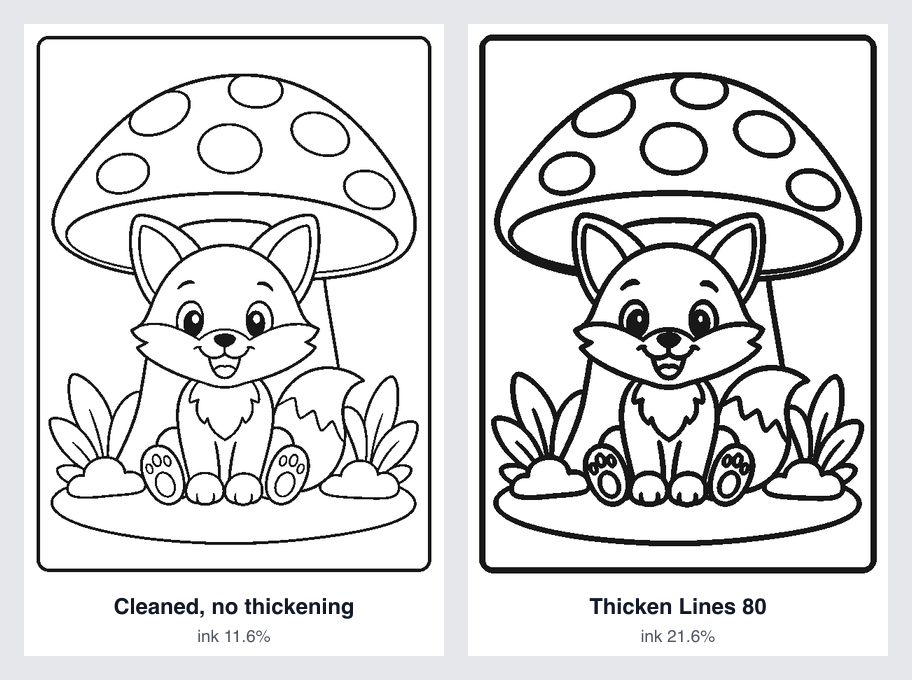
The rule of thumb: simple pages can take a lot of weight; detailed pages cannot. Start with a design that is already simple instead of trying to thicken a mandala into a bold page.
What else makes a bold and easy book easy?
Line weight is half of it. The rest:
- Single-sided pages. Bold-page buyers often use markers. Put a blank or black back behind every design (blank backs).
- Larger trim. 8.5 x 11 in gives the biggest shapes. Avoid 6 x 9 for bold books.
- Fewer, bigger elements. One cup, one flower, one truck. Leave background areas large or empty.
- More pages. Bold pages are quick to finish, so buyers expect more of them. 50–75 designs is common; see how many pages should a coloring book have?.
- Readable text. If a page has words, make them large outline letters, not thin script.
How do you check a bold page before export?
| Check | Pass when |
|---|---|
| Line weight | Outlines measure about 18–35 px at 300 DPI |
| Small shapes | Eyes, centers and letters are still open |
| Gray | Only black and white at 100% zoom |
| Resolution | 300 DPI at your trim (pixel table) |
| Real-world test | One printed page colored with a marker shows no bleed past the lines |
FAQ
What are bold and easy coloring pages?
Coloring pages with thick outlines, large simple shapes and little fine detail. They are quick to finish, easy to see and forgiving for shaky hands, which is why they are popular with seniors, beginners, people with low vision and young kids.
How thick should lines be on bold and easy coloring pages?
We recommend about 1.5–3 mm at print size, roughly 18–35 pixels at 300 DPI. KDP's minimum line weight for print is 0.75 pt (about 0.26 mm or 3 px at 300 DPI); detailed adult pages often sit around 0.5–1 mm.
How do I make lines thicker on an AI coloring page?
Convert the page to pure black and white, then dilate the black lines: Photoshop's Minimum filter, GIMP's Grow selection, or a Thicken Lines slider in a coloring page cleanup tool. Check small closed shapes afterwards, because they can fill in.
What prompt makes bold and easy coloring pages in AI tools?
Describe one subject, then add "bold thick black outlines, simple large shapes, minimal detail, no shading, no gray, white background, coloring page". Avoid words like intricate, detailed, mandala or zentangle.
Can you thicken lines too much?
Yes. In our test, raising Thicken Lines from 0 to 100 raised ink coverage on a teapot-and-rose page from 12.1% to 37.0%, and the small petals in the rose center merged into solid black. Stop when outlines are bold but every small shape is still open.
Related resources
- AI Coloring Book Generator: simple-shape styles and a full KDP interior
- Coloring book formatter: Thicken Lines, cleanup and export
- Why AI coloring pages print gray
- How to clean up AI coloring pages
- Coloring book pages for kids and for adults
Author

Categories
More Posts
7 Best Name Coloring Page Generators in 2026
Compare the best name coloring page generators in 2026 for bubble-letter printables, classroom sets, gift pages, and KDP personalized coloring books.
Best Book Cover Software for Self-Publishing Authors (2026)
Compare Canva, Photoshop, BookBrush, and BookCoversLab to find the best book cover software for self-publishing, print-ready KDP files, and faster cover revisions.
Page Numbers in a Coloring Book: Do You Need Them and How to Add Them for KDP
KDP doesn't require page numbers in coloring books, but if used they must run in order with no gaps. Placement, styles, blank and black pages.
Newsletter
Join the community
Subscribe to our newsletter for the latest news and updates