
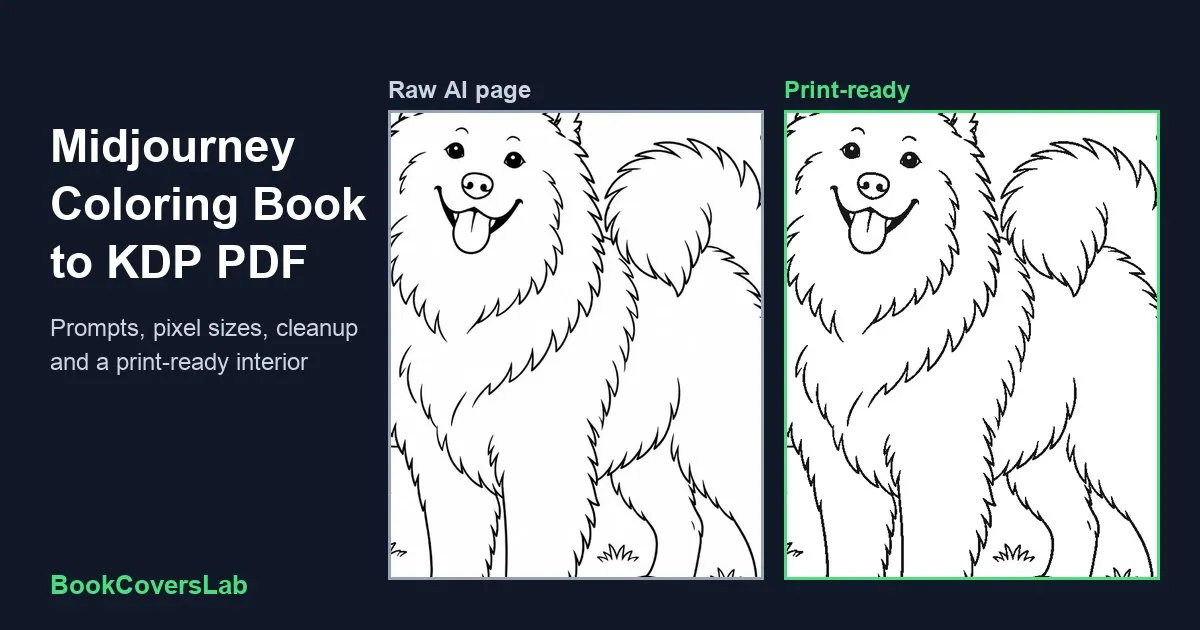
Midjourney Coloring Book: From Prompts to a KDP-Ready PDF
A Midjourney coloring book takes two jobs: Midjourney draws the pages, and a formatting tool turns them into one KDP interior PDF. Midjourney's own docs list 1792 x 2688 px for an upscaled 2:3 image. On an 8.5 x 11 inch page with bleed that is about 208 DPI, below KDP's 300 DPI. So for large trims, plan for cleanup and upscaling before you export.
Most Midjourney coloring book tutorials stop at the prompt. This one covers the part that decides whether KDP accepts the file: pixel sizes per trim, black-and-white cleanup, page order and the PDF export. The screenshots come from the coloring book formatter, which imports finished pages from any AI tool.
If you do not want to manage two tools, the AI Coloring Book Generator generates the pages and the interior in one place. If you already have a folder of Midjourney images, keep reading.
Key Takeaways
- Midjourney V8.2 makes 896 x 1344 px at 2:3 and 1792 x 2688 px after upscale (Midjourney docs).
- That is about 208 DPI on an 8.5 x 11 inch page and about 291 DPI on a 6 x 9 inch page. KDP asks for 300 DPI.
- Midjourney output is anti-aliased. Clean every page to pure black and white before you print.
- A KDP paperback needs 24 pages minimum, and you must disclose AI-generated interior images (KDP Content Guidelines).
Can Midjourney make coloring pages?
Yes. Midjourney can draw black line art on a white background if you ask for it directly and exclude color and shading. What it cannot do is lay out a book: it has no trim sizes, bleed, page numbers, blank backs or PDF export.
Two rules to know before you sell:
- Ownership. Midjourney's Terms of Service say you own the assets you create to the extent the law allows. One exception: a company with more than $1,000,000 a year in revenue must be on a Pro or Mega plan to own its assets.
- Disclosure. KDP's Content Guidelines require you to tell KDP about AI-generated images, including interior images and artwork, when you publish or republish a book.
This is a summary of the published terms, not legal advice.
What prompt works for a Midjourney coloring page?
Ask for the subject, the line style and a plain background, then exclude everything a coloring page should not have. A starting template:
coloring book page, [subject], clean black outline line art, bold even lines,
white background, simple closed shapes, no shading --ar 2:3 --no color, gray, shading, text
How the parts work, per Midjourney's documentation:
--arsets the image shape. 2:3 is the closest documented portrait ratio to a coloring page.--nolists what to leave out, separated by commas. Midjourney's No parameter page notes that each word after--nois read on its own, so keep the list to single words.- "no shading" in the prompt and "gray, shading" after
--nowork together. Shading is the hardest thing to remove later.
Adjust the subject line for the audience:
| Audience | Add to the prompt | Why |
|---|---|---|
| Kids 3–6 | "very simple, large shapes, thick lines" | Fewer, bigger areas to color |
| Kids 7–12 | "cartoon style, medium detail" | More to color without tiny spaces |
| Adults | "intricate pattern, mandala, detailed" | Long coloring sessions |
| Seniors | "bold and easy, large shapes" | Easier to see and stay inside lines |
We did not benchmark these prompts against each other for this article. Treat them as a starting point and keep the pages that come out with closed outlines and no gray fills.
Is Midjourney resolution enough for KDP?
For small trims, nearly. For 8.5 x 11, no. KDP's formatting help asks for 300 DPI and adds 0.125 inch of bleed on the outside, top and bottom edges. This table divides the documented Midjourney pixel sizes by the page size with bleed:
| KDP trim (with bleed) | Pixels needed at 300 DPI | Midjourney upscaled image | Approx. DPI if art fills the page |
|---|---|---|---|
| 6 x 9 in (6.125 x 9.25) | 1838 x 2775 | 2:3, 1792 x 2688 | ~291 |
| 8 x 10 in (8.125 x 10.25) | 2438 x 3075 | 2:3, 1792 x 2688 | ~221 |
| 8.5 x 8.5 in (8.625 x 8.75) | 2588 x 2625 | 1:1, 2048 x 2048 | ~234 |
| 8.5 x 11 in (8.625 x 11.25) | 2588 x 3375 | 2:3, 1792 x 2688 | ~208 |
Midjourney sizes from the Upscalers page for V8.2 (checked 2026-11-26). DPI uses whichever side is more limiting. Non-upscaled (SD) images are half these numbers.
What this means in practice:
- Always upscale the pages you keep. A non-upscaled 2:3 image is about 104 DPI on 8.5 x 11.
- 6 x 9 inch books are close to 300 DPI with no extra step.
- 8.5 x 11 inch books, the most common coloring book size, need an extra upscale or a smaller art area with white margins.
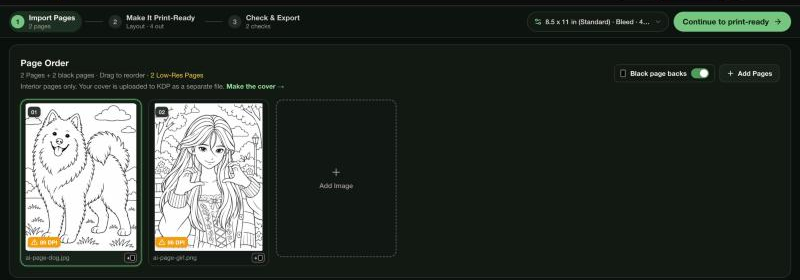
The formatter flags low-DPI pages as soon as you import them. These two sample pages from our own generator (768 x 1024 px, not Midjourney) show up at 89 and 86 DPI on 8.5 x 11:
How do you turn Midjourney images into a KDP PDF?
Import the images, clean them, put them in order and export one interior PDF. The cover is a separate file. Here is the workflow in the formatter, step by step.
Step 1: Pick the trim size before you import
Choose the trim in the settings bar (8.5 x 11, 8.5 x 8.5, 8 x 10 or 6 x 9 inches). The trim decides how many pixels each page needs, so the DPI warnings only make sense after it is set. The formatter adds the 0.125 inch bleed for you.
Step 2: Import the PNGs or a PDF
Drop in PNG or JPG files, or one PDF that already holds the pages. Drag thumbnails to reorder them. Each page gets a DPI badge, and pages under 300 DPI are marked in orange.
Step 3: Clean every page to black and white
Midjourney lines have soft gray edges that print as a dotted haze. Open Make It Print-Ready and the formatter converts each page to pure black and white. You can then erase specks and reconnect lines that broke during cleanup.
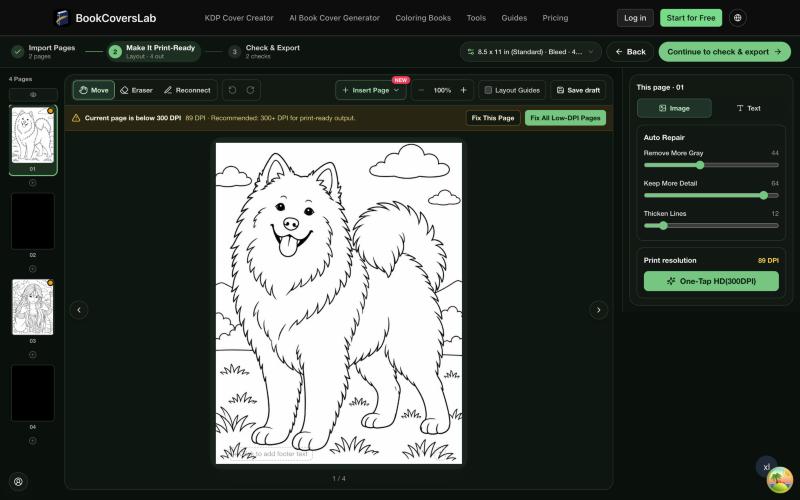
Our guide on how to clean up AI coloring pages measures this on real pages: gray pixels fell from 11.5% to 0%, and one faint line broke into 16 dashes that needed a manual fix.
Step 4: Add special pages and backs
Coloring books usually print single-sided so markers do not ruin the next design. Turn on Black page backs, or insert blank backs, behind each design. Insert Page also adds a "This book belongs to" page, a copyright page, an intro and a bleed test page. For when blank backs are worth it, see do coloring books need blank backs.
Step 5: Run the pre-export check and export
The Check & Export step lists anything that may cause a KDP rejection and shows the exact file specs:
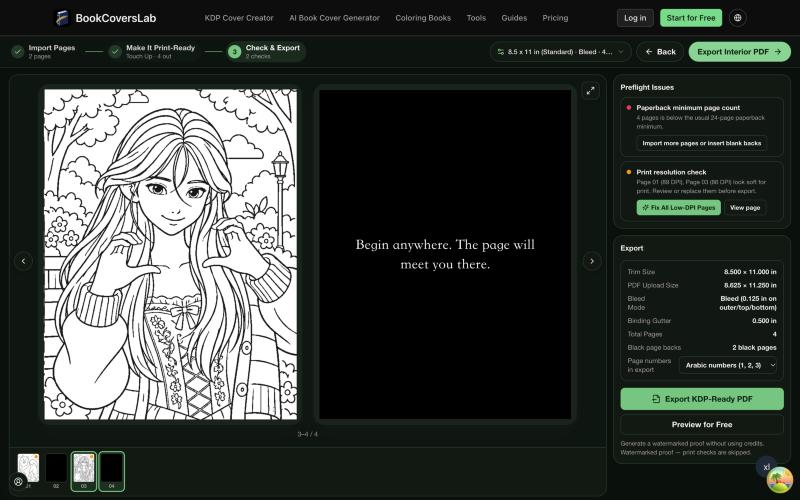
In this test book the check caught two problems: only 4 pages (KDP paperbacks need 24) and two pages below 300 DPI. The export panel shows what KDP will receive: an 8.625 x 11.25 inch PDF for an 8.5 x 11 trim with bleed, a 0.5 inch binding gutter, and the page count including black backs.
Generate a free watermarked Preview first and check it at full zoom. The final Export KDP-Ready PDF uses a paid plan. Then make the cover separately, for example with the coloring book cover maker, using the final page count for the spine.
How many Midjourney pages do you need?
A black-ink KDP paperback needs at least 24 pages (Print Options). With a back behind every design, each design takes two pages:
| Designs | Single-sided (with backs) | Double-sided |
|---|---|---|
| 12 | 24 pages | 12 pages (too few) |
| 25 | 50 pages | 25 pages |
| 40 | 80 pages | 40 pages |
Add 2 to 4 pages for the title, copyright and "belongs to" pages. Page count also changes the printing cost and the spine width, so lock it before you design the cover.
Midjourney or an all-in-one coloring book generator?
Use Midjourney when style control matters most: you want a specific look, you already pay for it, and you are fine running prompts page by page. Its image quality and range of styles are strong.
Use an all-in-one generator when you want the book finished faster. The AI Coloring Book Generator plans the book, keeps the style consistent across pages, outputs black-and-white line art and exports the interior in one place. Other KDP tools such as KDP Builder and KDPEasy also generate coloring pages inside their own workflows; compare credits and export options before you choose.
Many publishers combine them: Midjourney for a few signature pages, a generator for the rest, and one formatter to make the interior consistent.
FAQ
Can Midjourney make coloring pages?
Yes. Ask for black line art on a white background, add --no color, gray, shading to exclude fills, and set the page shape with --ar. Midjourney still outputs a soft, anti-aliased image, so plan a cleanup step before printing.
Is Midjourney resolution good enough for an 8.5 x 11 coloring book?
Not at full page size. Midjourney's docs list 1792 x 2688 px for an upscaled 2:3 image. Stretched across an 8.5 x 11 inch page with bleed, that is about 208 DPI, below KDP's 300 DPI. It is close to 300 DPI on a 6 x 9 inch trim.
Can I sell a Midjourney coloring book on Amazon KDP?
Midjourney's Terms of Service say you own the images you create, with exceptions, including that companies with more than $1,000,000 a year in revenue need a Pro or Mega plan. KDP requires you to disclose AI-generated images, including interior art, when you publish. This is not legal advice.
How do I turn Midjourney images into a KDP PDF?
Import the images into a coloring book formatter, clean each page to black and white, set trim size and bleed, order the pages, add blank backs if needed, and export one interior PDF. Upload the cover as a separate file.
How many Midjourney pages do I need for a coloring book?
A black-ink KDP paperback needs at least 24 pages. Single-sided coloring books with a blank or black back behind each design need at least 12 designs to reach 24 pages, plus any title or copyright pages.
Related resources
- Coloring book formatter: import Midjourney pages and export a KDP interior PDF
- How to clean up AI coloring pages: gray haze, specks and broken lines, tested
- AI Coloring Book Generator: pages and interior in one workflow
- Coloring book bleed and margins for KDP
- Fix KDP print previewer errors for coloring books
Autor

Categorías
Más entradas

Low-Competition KDP Niches for 2026 (Coloring Book Stacks)
Find low-competition KDP niches in 2026 by stacking coloring book audience, theme, and line weight. Use Amazon autocomplete and print specs, not invented title counts.
AI coloring pages para KDP vs libros print-ready: lo que la mayoria de creadores pasa por alto
Las AI coloring pages no son lo mismo que un coloring book listo para KDP. Aprende la diferencia entre generar paginas y tener un paquete completo, listo para subir.
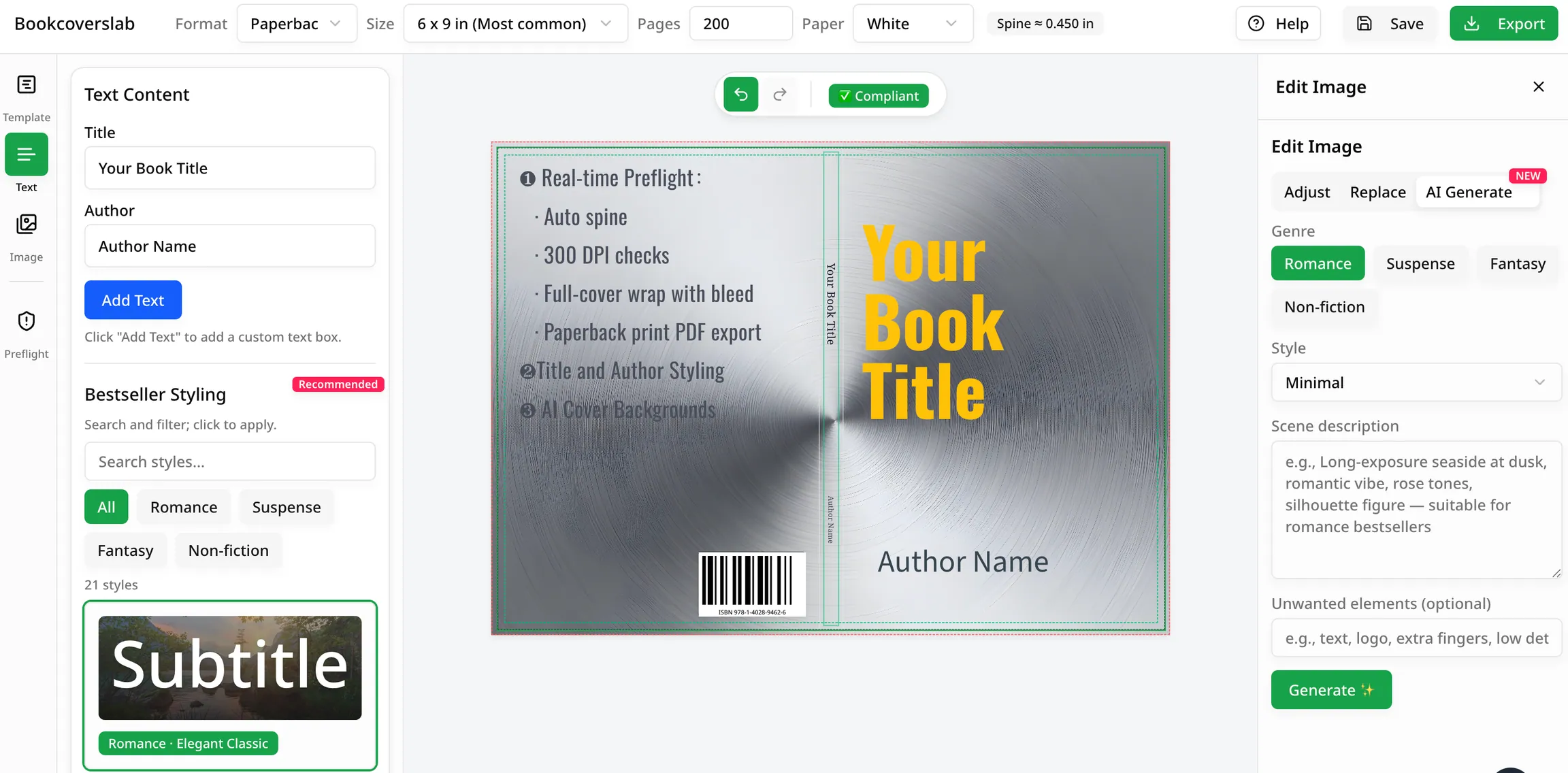
Prompts de IA para portadas de romance que encajan con tu subgénero
Crea mejores prompts de IA para portadas de romance contemporáneo, oscuro, histórico y paranormal. Aprende qué señales visuales ayudan al lector a reconocer la promesa adecuada de inmediato.
Newsletter
Únete a la comunidad
Suscríbete a nuestro newsletter para recibir las últimas novedades y actualizaciones