
Back Cover of a Book: What Goes on It (Blurb, Author Bio, Barcode)
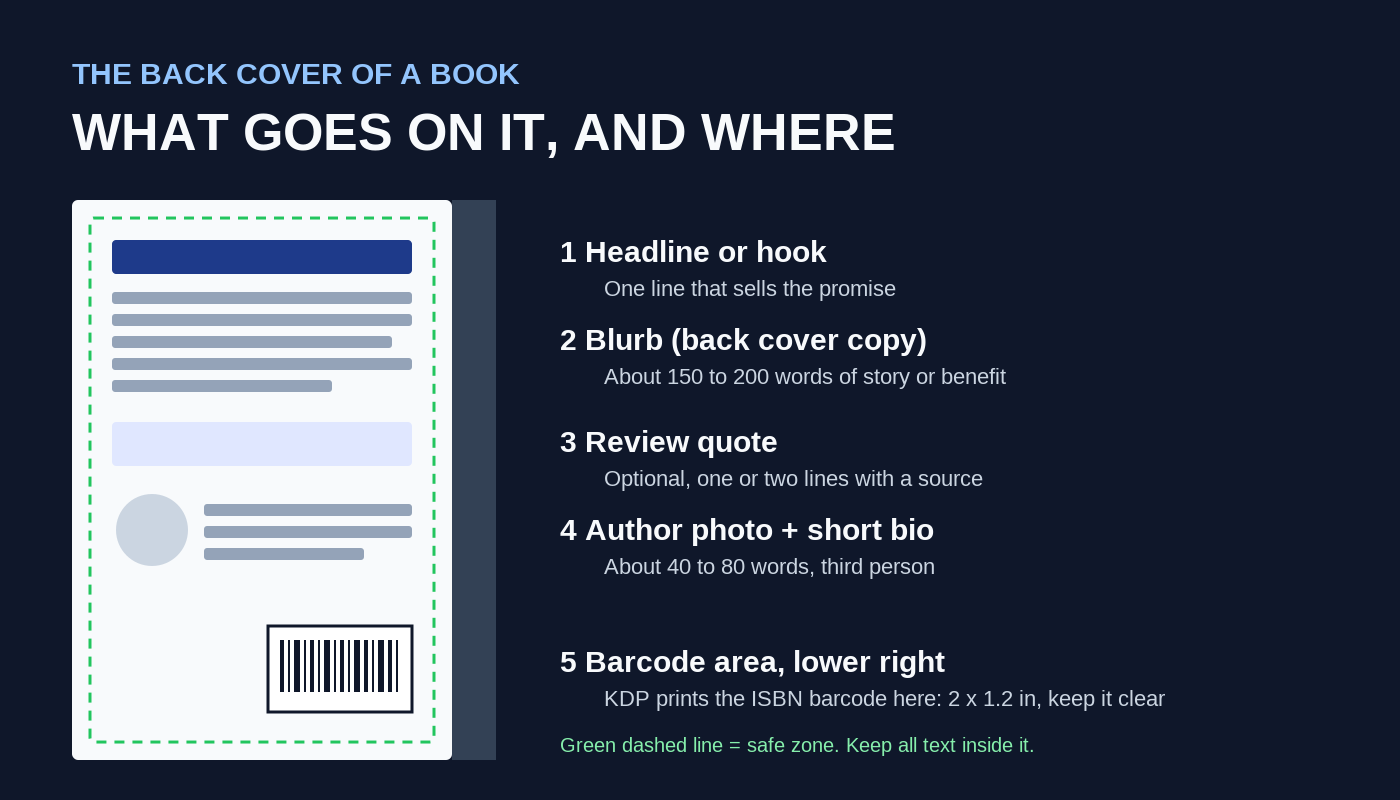
The back cover of a book is the panel a buyer turns to after the front cover has done its job. On a print book it has five usual parts: a headline, the blurb (back cover copy), an optional review quote, an optional author photo and bio, and the ISBN barcode in the lower-right corner.
For an Amazon KDP paperback the back cover is not a separate file. It is the left panel of one cover PDF that runs back cover, spine, front cover. That is why the layout rules below include sizes in inches: the back cover has a safe zone, a bleed, and a barcode box that KDP places for you.
Key Takeaways
- The words on the back of a book are the blurb, also called back cover copy. Aim for about 150 to 200 words.
- An author bio on the back cover is short: about 40 to 80 words, third person.
- KDP prints the barcode in a 2 x 1.2 in box in the lower right of the back cover. Keep that box empty.
- Keep all text at least 0.125 in inside the trim line, and extend background art 0.125 in past it for bleed.
- Coloring books sell with pictures, not paragraphs: put 2 to 4 interior pages on the back cover.
What is the back of a book called?
It is called the back cover. The printed text on it has a few names that mean the same thing:
| Term | What it means |
|---|---|
| Back cover | The rear panel of the book's cover |
| Blurb / back cover copy | The main selling text on the back cover |
| Book description | The text on the Amazon product page. Often a longer version of the blurb |
| Author bio | A short paragraph about the writer |
| Endorsement / review quote | A short line of praise with a source |
| Spine | The narrow strip between the back and front covers |
On a hardcover with a dust jacket, the blurb often moves to the front flap and the bio to the back flap. The back panel then carries quotes and the barcode. On a KDP case laminate hardcover there are no flaps, so the layout is the same as a paperback.
What goes on the back cover of a book
Work from the top of the panel down. Not every book needs every part.
1. Headline or hook
One line in a larger size that states the promise: the stakes of the story, or the result the reader gets. It is what most people read before they decide whether to read the blurb.
2. The blurb (back cover copy)
About 150 to 200 words. Fiction blurbs introduce the main character, the problem and the stakes, then stop before the ending. Nonfiction blurbs name the reader's problem, what the book teaches, and why the author can teach it. Bullet points work well for nonfiction.
Two practical limits: the blurb has to fit inside the safe zone at a readable size (usually 10 to 12 pt on a 6 x 9 book), and it has to end above the barcode box. If it does not fit, cut words before you shrink the font.
3. Review quote (optional)
One or two short lines with a named source. Use a real quote you have permission to print. A weak or unnamed quote does less than an empty line.
4. Author photo and bio (optional)
Common on nonfiction and memoir, less common on genre fiction. See the author bio section below.
5. Barcode area
KDP prints the ISBN barcode in the lower-right corner of the back cover if your file does not include one. Amazon reserves a 2 x 1.2 inch (50.8 x 30.5 mm) white box for it. Anything you put in that box is covered when the book prints. The full rules, and how to fix a cover where the barcode already overlaps text, are in Fix the KDP barcode covering back cover text.
Other elements you may see
- Price: optional for KDP books. Prices change, so most self-published authors leave it off.
- Publisher name or logo: if you publish under your own imprint.
- Category line: a small "Fiction / Thriller" label, common on books meant for bookstores.
How to write an author bio for a back cover
Keep it to about 40 to 80 words, in the third person. A back cover bio has one job: make the reader believe you are the right person to have written this book.
A simple structure:
- Name and the most relevant credential for this book.
- One concrete detail: where you live, what you did before, a fact readers remember.
- Optional: one previous book or award.
Example for a nonfiction book (52 words):
Maya Ortiz is a certified financial planner who has helped more than 400 families get out of credit card debt. She writes about money for people who hate spreadsheets. Maya lives in Austin with her husband, two kids and a spoiled rescue dog. Debt-Free by Friday is her second book.
Example for a novel (38 words):
J. R. Hale spent twelve years as a night-shift paramedic before writing his first thriller. He lives on the Oregon coast, where the fog gives him most of his ideas. Low Tide is the first Harbor Point mystery.
Save the longer version (awards, full book list, website) for your Amazon Author Central page and the "About the Author" page at the end of the book.
If you also need the Amazon product page text, the Amazon book description generator drafts a longer description from your blurb.
Back cover size and safe zone for KDP
The back cover is the same size as your trim size. On a 6 x 9 paperback the back panel is 6 x 9 inches, plus bleed on the outside edges. What matters for layout:
| Measurement | KDP value |
|---|---|
| Bleed | 0.125 in (3.2 mm) past the trim on the top, bottom and outside edge |
| Text safe margin | Keep text at least 0.125 in inside the trim line |
| Barcode box | 2 x 1.2 in (50.8 x 30.5 mm), lower right of the back cover |
| Image resolution | 300 DPI at print size |
The total cover width (back + spine + front + bleed) depends on page count and paper. Get the exact numbers for your book from the KDP cover size calculator.
Coloring book back covers: show the inside
Coloring book buyers want to know three things: what the line art looks like, how detailed it is, and whether it suits the age they are buying for. A blurb can describe that; two to four sample pages show it at a glance. That is why most coloring and activity books on Amazon put interior pages on the back cover.
A layout that works:
- 2 to 4 interior pages in a row or a 2 x 2 grid. Pick pages that show the range of the book: one simple page, one detailed page, different subjects.
- A short headline above them, for example "50 Cozy Animal Scenes to Color".
- One or two lines of facts: page count, single-sided pages, trim size, age range.
- The barcode box left empty in the lower right. The preview grid has to stop above it or to its left.
Keep each preview large enough to read the line weight. On an 8.5 x 11 back cover, four pages in a 2 x 2 grid come out about 3 inches wide each, which is large enough to show detail.
How to make a back cover in BookCoversLab
The KDP Cover Creator builds the back cover as part of the full wrap, so the panel is already the right size for your trim, page count and paper.
- Open the Back Cover tab, or click the back cover on the canvas.
- Pick a Layout preset: Text only, Author photo + bio, Text + barcode, or 2, 3 or 4 preview images.
- Click the back cover and type your blurb. Select text to change font, size and style. The sample blurb clears when you click it and is never exported.
- For photo and preview layouts, upload an image into each slot. Adjust crop, zoom and corner radius in the right-hand panel.
- Set Text margins if you want more space. They are measured from the trim, and the minimum is KDP's 0.125 in.
- Leave Show barcode placeholder on. It sits exactly where KDP prints the barcode, so you can see overlaps before you upload. Turning it off only hides the guide; KDP still prints a barcode there.
- Run Preflight. It flags "Back cover text overlaps the barcode area", text outside the safe zone, and a sample blurb you forgot to replace.
You can also upload a finished back cover image (Fill Areas, then Back image) instead of using a layout.
Coloring books: interior pages go on the back cover for you
If you made the interior in the AI Coloring Book Generator, open the Coloring Book Cover Maker to make the front cover. When you hand the cover over to the KDP Cover Creator, it opens on the Back Cover tab with the 4 preview images layout already filled with the first four pages of your book. Swap any page by uploading a different image into that slot.
The cover is a separate product from the coloring book plan. Designing it is free, and you can download one watermarked proof PDF free after you sign up. The final print-ready cover PDF is a one-time purchase, from $19.99.
Back cover checklist before you upload
- Blurb fits inside the safe zone at 10 pt or larger
- Nothing important inside the 2 x 1.2 in barcode box
- Author bio is under about 80 words
- Review quotes have a named source
- Background art reaches 0.125 in past the trim on the outer edge
- Images are 300 DPI at print size
- Spine width matches your final page count (spine width calculator)
- You checked a proof PDF at full zoom before the final export
Frequently Asked Questions
What is the back of a book called?
The back cover. On a paperback it is one panel of a single cover sheet that also includes the spine and the front cover. The text printed on it is usually called the blurb or back cover copy.
What are the words on the back of a book called?
The blurb, back cover copy, or book description. It usually runs about 150 to 200 words. The short paragraph about the writer is the author bio, and short praise lines are review quotes or endorsements.
What should be on the back cover of a book?
A one-line hook, a blurb of about 150 to 200 words, an optional review quote, an optional author photo and short bio, and a clear area for the ISBN barcode. Nonfiction often adds bullet points. Coloring books usually show 2 to 4 interior pages instead of a long blurb.
How long should an author bio on a back cover be?
About 40 to 80 words, in the third person, with one credential or detail that makes you believable for this book.
Where does the barcode go on a KDP back cover?
In the lower-right corner. KDP reserves a 2 x 1.2 inch (50.8 x 30.5 mm) box and prints the ISBN barcode there if your file does not include one.
What should go on the back of a coloring book?
Two to four sample interior pages, a short headline, the page count and age range, and an empty barcode area.
Related Resources
Autor

Kategorie
Więcej wpisów
Pikselowana czcionka okładki książki na KDP? Oto prawdziwa poprawka
Widzisz rozmyte, postrzępione lub pikselowane czcionki na okładce KDP? Ten przewodnik diagnozuje główne przyczyny (DPI i rasteryzacja) i zapewnia najlepsze rozwiązanie odporne na błędy.
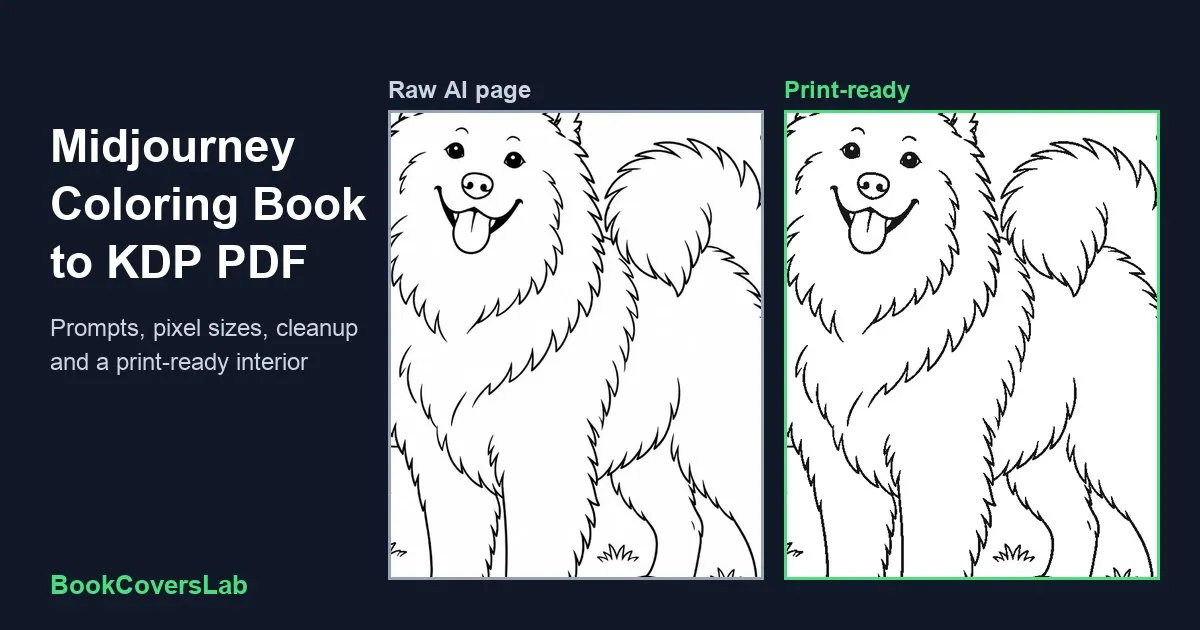
Midjourney Coloring Book: From Prompts to a KDP-Ready PDF
Make a Midjourney coloring book for KDP: prompt template, pixel sizes per trim (a 2:3 upscale is ~208 DPI on 8.5x11), cleanup and PDF export.
Can You Sell AI Coloring Books on Amazon? What KDP's Rules Actually Say
Yes, if you disclose AI images, own the rights and meet KDP's quality rules. KDP's exact wording, the 24-page minimum and the 2-titles-a-week limit.
Newsletter
Dołącz do społeczności
Zapisz się do naszego newslettera, aby otrzymywać najnowsze wiadomości i aktualizacje