
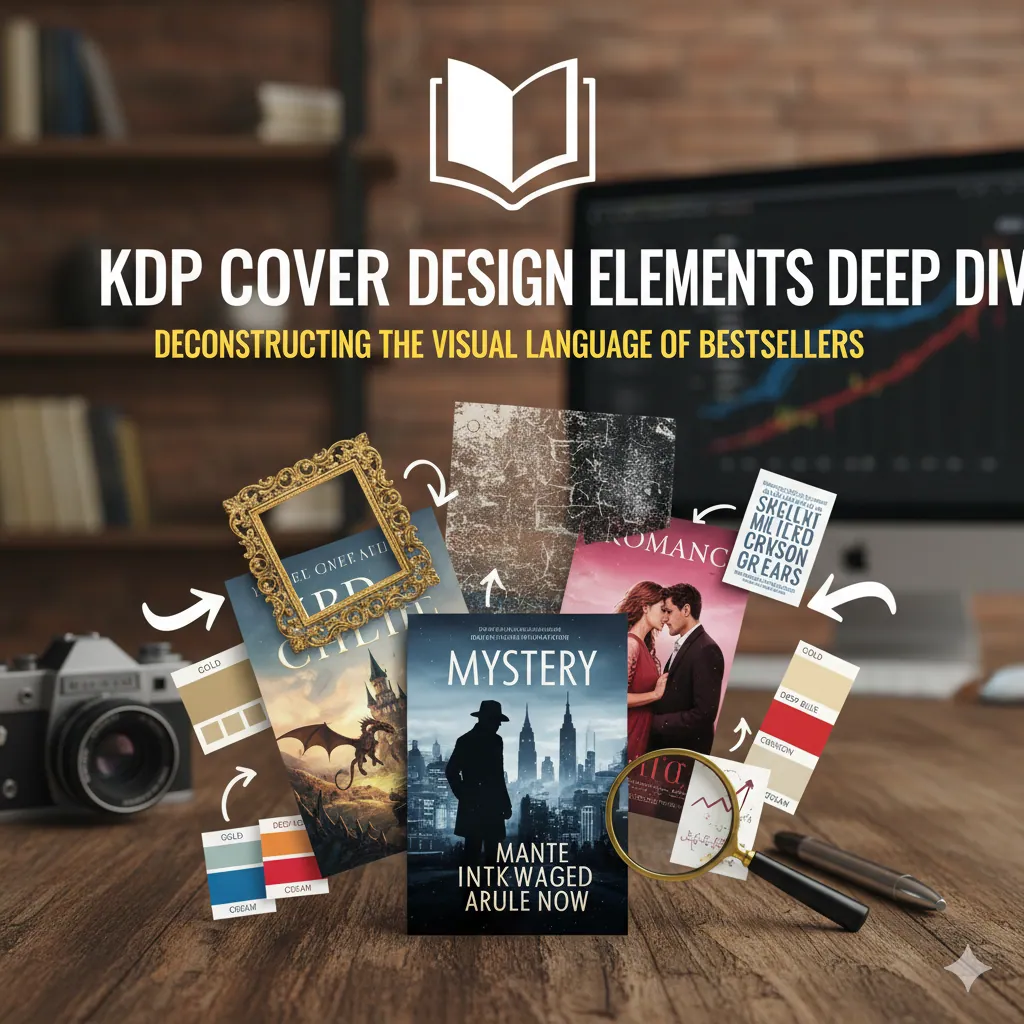
Elementy projektu okładki KDP Głębokie nurkowanie: Dekonstrukcja języka wizualnego bestsellerów
Witamy w studiu projektowym w KDP Cover Creator. Opisaliśmy okładkę jako „sprzedawca nr 1". Ta strona pokazuje dokładny „język", którego używa sprzedawca przy zawieraniu transakcji.
Każdy element bestsellerowej okładki – od wyboru czcionki po użycie ujemnej spacji – nie jest przypadkowy. Jest to starannie zaaranżowany sygnał psychologiczny, mający na celu poinformowanie docelowego czytelnika w czasie krótszym niż 3 sekundy: „To jest książka, której szukasz".
Zdekonstruujemy cztery podstawowe filary: Typografia, Kolor, Obrazowanie i Kompozycja.
Chcesz szybko otrzymać okładkę gotową do bestsellera? Zacznij od szablonu i dopracuj typografię, kolor, obrazy i kompozycję w jednym edytorze.
Otwórz darmowy kreator okładek KDP
Filar 1: Typografia – „Głos" Twojej okładki
Czcionka to nie tylko tekst; to „głos" Twojej książki. Może przekazywać autorytet, romans, terror lub przyszłość zaawansowanych technologii.
Złota zasada: czytelność miniatur
Jeśli Twój tytuł i nazwisko autora są nieczytelne na miniaturze wyników wyszukiwania Amazon, już przegrałeś.
- Kontrast: upewnij się, że kolor tekstu ma silny kontrast z tłem (np. jasnożółty na ciemnoniebieskim).
- Prostota: Unikaj zbyt ozdobnych lub cienkich czcionek w głównym tytule.
Psychologia czcionek i dopasowanie gatunku
| Typ czcionki | Charakterystyka | Przekazuje | Użyj dla |
|---|---|---|---|
| Czcionki szeryfowe | Małe ozdobne „stopki" na końcu pociągnięć. | Tradycja, autorytet, literacki, epicki. | Fikcja literacka, fikcja historyczna, epicka fantasy, literatura faktu (np. biografie). |
| Czcionki bezszeryfowe | Czyste, nowoczesne ruchy bez „stóp". | Nowoczesne, czyste, techniczne i bezpośrednie. | Science fiction, thrillery, biznes, samopomoc, fikcja współczesna. |
| Czcionki skryptowe | Naśladuje pismo odręczne, może być płynne lub szorstkie. | Osobisty, elegancki, intymny, romantyczny. | Romanse, wspomnienia, literatura kobieca. |
| Czcionki szeryfowe | Odważne, blokowe „stopy". | Mocny, odważny, retro. | Westerny, fantastyka miejska, trochę thrillerów. |
Wskazówka dla profesjonalistów: użyj maksymalnie dwóch czcionek na okładce (np. jednej dla tytułu, drugiej dla nazwiska autora/podtytułu), aby zachować czysty, profesjonalny wygląd.
Filar 2: Psychologia koloru – „Emocje" na okładce
Kolor to najszybsze narzędzie potrzebne do zbudowania połączenia emocjonalnego z czytelnikiem.
- Thrillery/horror: Ciemne odcienie (czarny/głęboki błękit) w połączeniu z jaskrawymi o wysokim kontraście (czerwony/żółty/biały). Tworzy tajemnicę, niebezpieczeństwo i napięcie.
- Romans: Miękkie pastele (róże, jasne błękity) lub namiętne głębokie czerwienie/fiolety. Przekazuje intymność i pożądanie.
- Sci-Fi: Metaliczne kolory (srebrny, szary) i głęboki kosmiczny błękit, akcentowane neonami (elektryczny błękit, jasny pomarańcz). Tworzy poczucie technologii i przyszłości.
- Biznes/samopomoc: „Trust" niebieski, „autorytet" czarny i „akcja" czerwony lub pomarańczowy. Często zestawiane na prostym białym lub szarym tle.
- Fantasy: Odcienie ziemi (brązy, zielenie) w połączeniu z magicznymi kolorami (złoto, fiolet). Tworzy poczucie natury i tajemnicy.
Filar 3: Zdjęcia – „Historia" Twojej okładki
Obraz jest wizualnym skrótem Twojej treści. Czy używasz zdjęcia, ilustracji czy czystego symbolu?
- Fotografia: oddaje realizm. Typowe dla thrillerów (sylwetki), romansów (modelki) i biografii (autor).
- Ilustracja: Tworzy sceny, które nie istnieją w rzeczywistości (fantasy/sci-fi).
- Symbolika: wysoce konceptualna i prowokująca do myślenia. Jabłko, miecz, kawałek rozbitego szkła.
Rozwiązanie BookCoversLab: Zintegrowany silnik generowania obrazów AI
Największą pułapką KDP jest używanie tanich, nadużywanych zdjęć stockowych. Czytelnicy mogą je dostrzec, co natychmiast obniża postrzeganą wartość Twojej książki.
KDP Cover Creator zapewnia najlepsze rozwiązanie: nasz Zintegrowany silnik generowania obrazów AI.
Nie musisz już spędzać godzin na przeglądaniu witryn giełdowych, aby uzyskać „wystarczająco dobry" obraz. Po prostu wpisz swoją wizję w naszym edytorze:
// Example of how you might use a custom component for the AI image generation
<PromptGenerator>
  "A detective standing on a 1940s London street in the rain"
  "A futuristic space station floating in a nebula"
  "A glowing magical rune carved into ancient stone"
</PromptGenerator>
Nasz silnik AI wygeneruje unikalne obrazy w wysokiej rozdzielczości (300 DPI), w 100% wolne od tantiem stworzone specjalnie dla Twojej książki, dzięki czemu Twoja okładka będzie wizualnie jedyna w swoim rodzaju.
Filar 4: Kompozycja – „Plan" Twojej okładki
Kompozycja jest podstawą „inżynierii wizualnej". To ona wyznacza ścieżkę, którą podąża wzrok czytelnika.
- Kotwica wizualna: Twoja okładka potrzebuje jednego dominującego punktu. Czy to twarz? Świecący przedmiot? Odważny tytuł? Nie zmuszaj wielu elementów do walki o uwagę.
- Hierarchia wizualna: Musisz zdecydować, co czytelnik zobaczy jako pierwsze.
- Zwykle: mocny wizerunek LUB uderzający tytuł
- Drugie: nazwisko autora
- Ostatnie: podtytuł lub slogan
- Zasada trójpodziału: Wyobraź sobie siatkę 3x3 na swojej okładce. Umieszczenie punktu skupienia (jak oczu postaci) na jednej z przecinających się linii jest bardziej dynamiczne niż jego wyśrodkowanie.
- Przestrzeń ujemna: Nie wypełniaj każdego cala. „Biała przestrzeń" (nawet jeśli jest to czarne tło) pozwala Twojemu punktowi centralnemu „oddychać" i zapewnia wysoki poziom pewności siebie i profesjonalizmu.
Skrót BookCoversLab: szablony bestsellerów jednym kliknięciem
Zrozumienie zasad kompozycji wymaga lat praktyki. Kreator pozwala pominąć linię.
Nasza platforma jest zbudowana w oparciu o „Bibliotekę szablonów bestsellerów obsługiwanych jednym kliknięciem". Nasz zespół projektowy dogłębnie przeanalizował kompozycje wizualne 100 najlepszych bestsellerów we wszystkich głównych gatunkach KDP (thriller, romans, science-fiction itp.) i przekształcił te sprawdzone na rynku układy w profesjonalne szablony.
Nie musisz zgadywać rozmiarów czcionek ani rozmieszczenia tytułu. Po prostu wybierasz szablon bestsellera, zamieniasz obraz wygenerowany przez sztuczną inteligencję i tytuł i profesjonalnie skomponowana okładka jest gotowa.
Wniosek: projekt to przemyślana komunikacja
Udana okładka KDP nie jest przypadkowym zestawieniem elementów. To wszystkie elementy współpracują, aby w ciągu 3 sekund wysłać do docelowego czytelnika jeden wyraźny sygnał: „To jest książka, którą musisz przeczytać."
Kreator okładek KDP zapewnia skrót do projektowania, łącząc kreatywność obrazów AI ze sprawdzonym doświadczeniem szablonów bestsellerów.
Zastosuj układy bestsellerów, dopasuj swój gatunek i wyślij okładkę, która wygląda, jakby należała do pierwszej strony Amazon.
Zaprojektuj moją okładkę gotową do sprzedaży
Autor

Kategorie
Więcej wpisów
AI coloring pages dla KDP vs print-ready coloring books: co najczesciej umyka twórcom
AI coloring pages to nie to samo co print-ready coloring book dla KDP. Zrozum roznice miedzy generowaniem stron a gotowym do publikacji pakietem.
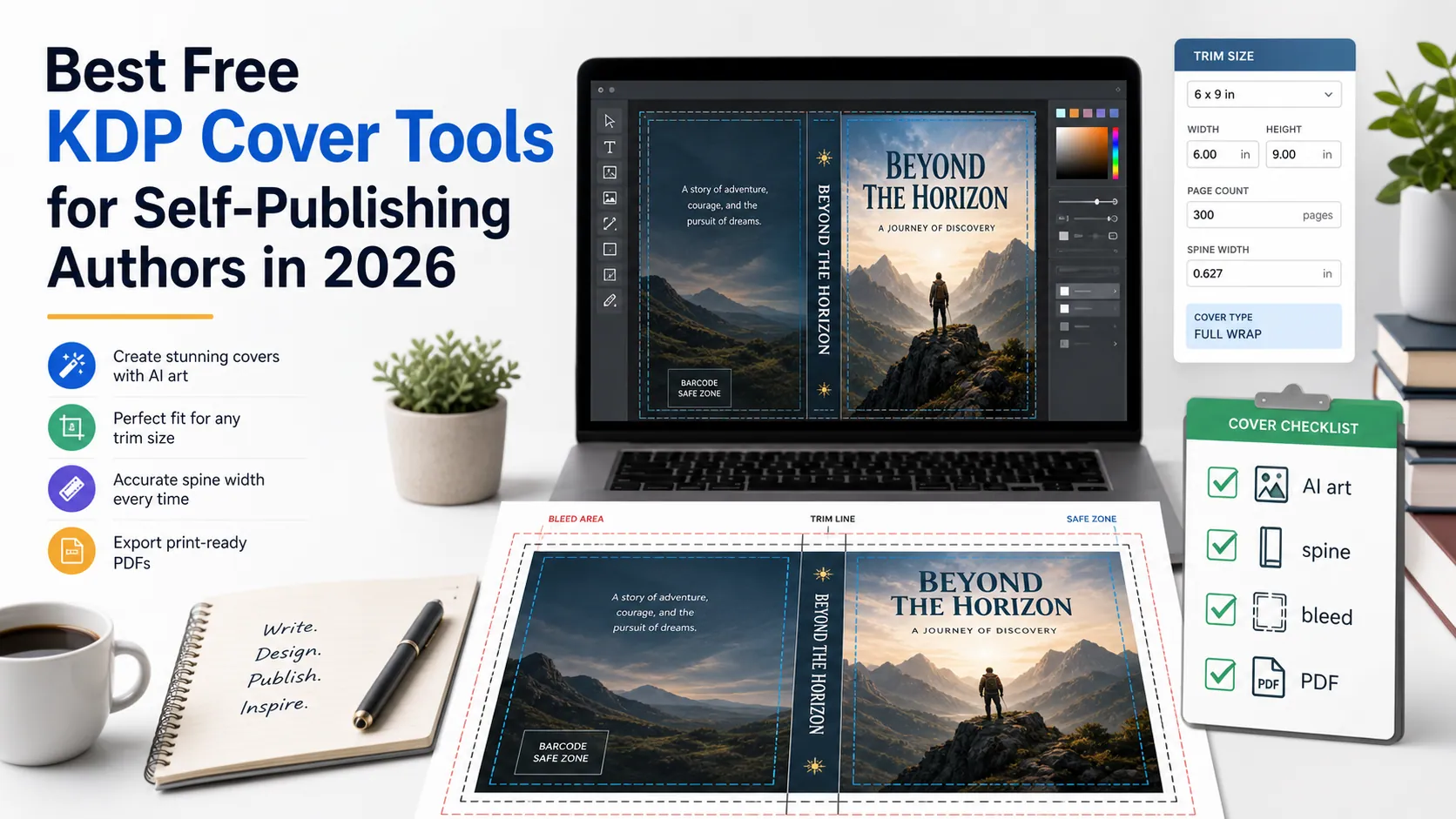
Najlepsze darmowe narzędzia do okładek KDP w 2026 roku
Porównaj darmowe narzędzia do pomysłów AI, projektowania w Canva, szablonów, obliczania grzbietu, spadu, kodu kreskowego, makiet i kontroli PDF-a dla KDP.

9 Best KDP Niches for 2026 (Print-Ready Coloring Books)
Rank the best KDP niches for 2026 by print-ready coloring books: 300 DPI interiors, blank backs, and a cover wrap, with Circana, Census, and KDP specs.
Newsletter
Dołącz do społeczności
Zapisz się do naszego newslettera, aby otrzymywać najnowsze wiadomości i aktualizacje