
Najlepsze bezpłatne generatory okładek książek AI w 2026 r
Jeśli szukasz najlepszych darmowych generatorów okładek książek AI w 2026 r., krótka lista jest mniejsza, niż się wydaje.
Wiele narzędzi może generować mocne obrazy. Znacznie mniej osób pomaga niezależnym autorom przekształcić te obrazy w okładkę książki, która faktycznie sprzedaje i, jeśli to konieczne, przechodzi kontrolę przesyłania Amazon KDP.
W tej recenzji skupiłem się na narzędziach, które oferują darmowy punkt wyjścia i pomagają autorom w tym, na czym najbardziej zależy autorom: dopasowanie gatunkowe, czytelność tytułu i przejście od grafiki AI do okładki nadającej się do publikacji.
Krótka uwaga: Bezpłatne limity, kredyty i zasady eksportu często się zmieniają. Ten artykuł został sprawdzony 17 marca 2026 r., dlatego przed przystąpieniem do przepływu pracy zawsze sprawdzaj najnowsze szczegóły dotyczące bezpłatnego poziomu na stronie każdego produktu.
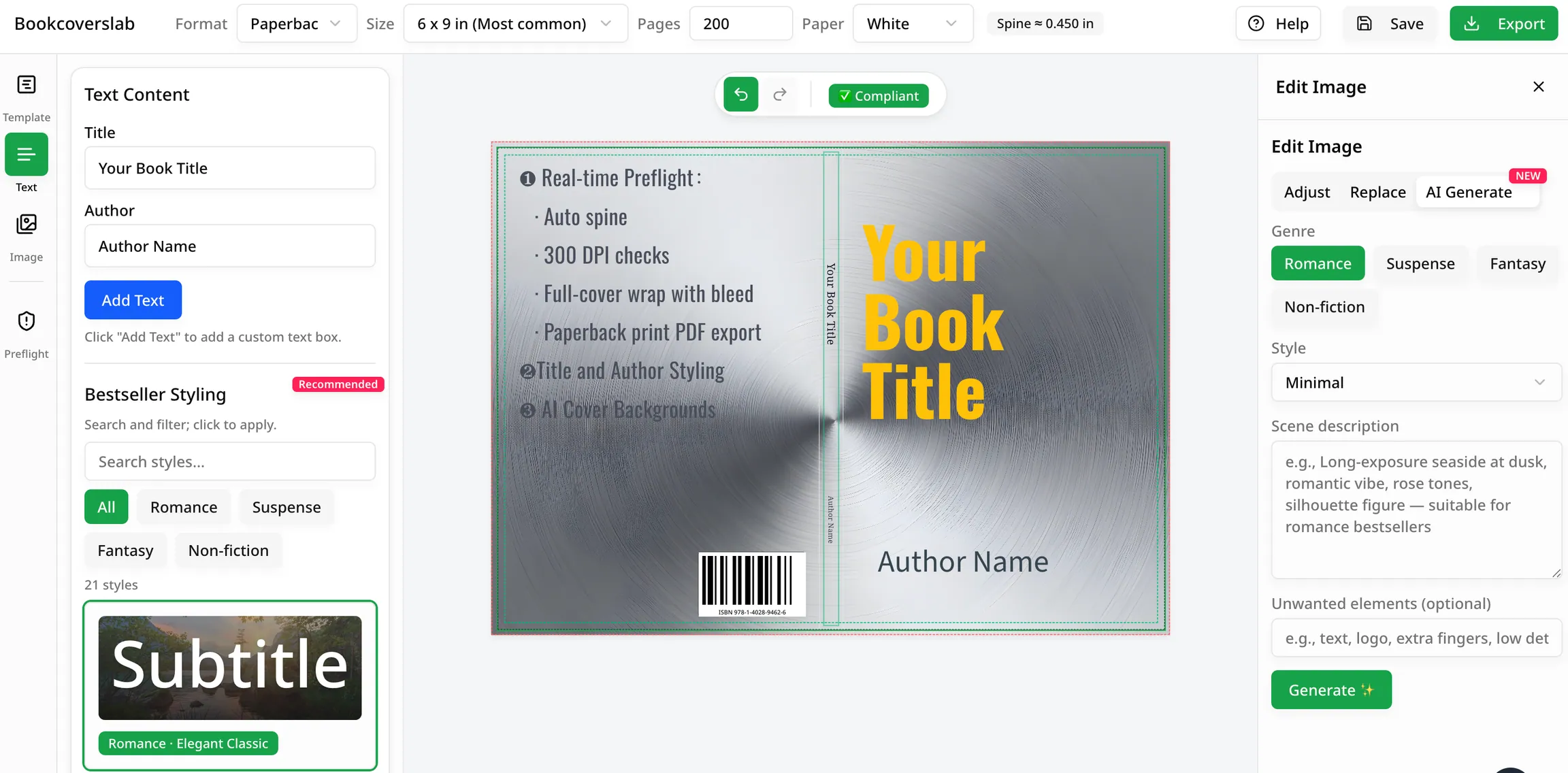
Potrzebujesz czegoś więcej niż tylko ładnego obrazu? Zacznij od pomysłów AI, a następnie zakończ prawdziwą przykrywkę w ramach przepływu pracy gotowego do KDP.
BookCoversLab umożliwia szybkie generowanie pomysłów na okładki, a następnie przejście od razu do narzędzi do przycinania, spadowania, grzbietu i eksportu przeznaczonych do samodzielnego publikowania.
Szybka odpowiedź: który darmowy generator okładek książek AI jest najlepszy dla autorów?
Jeśli Twoim celem jest publikowanie, mój najlepszy wybór to BookCoversLab, ponieważ łączy generowanie pomysłów z resztą przepływu pracy, których autorzy faktycznie potrzebują:
- Generowanie koncepcji okładki AI
- Tworzenie okładek KDP z przodu, grzbietu i tyłu
- przycinanie, spad i szerokość grzbietu obliczenia
- narzędzia do konwersji w miękkiej oprawie i narzędzia zorientowane na eksport
Niektóre narzędzia na tej liście dobrze radzą sobie z generowaniem okładek. BookCoversLab to najlepszy wybór do generowania pomysłów i wykańczania ich w procesie samodzielnego publikowania.
Jak oceniliśmy najlepsze bezpłatne generatory okładek książek AI
Aby uczciwie porównać najlepsze bezpłatne generatory okładek książek AI, zastosowałem pięć kryteriów:
- Bezpłatny punkt wejścia: Czy autor może wypróbować to narzędzie przed zapłaceniem?
- Dopasowanie gatunkowe: Czy to narzędzie pomaga Ci zbliżyć się do oczekiwań rynku w zakresie romansów, thrillerów, fantasy lub literatury faktu?
- Przydatność okładki: czy tworzy coś, co przypomina okładkę książki, a nie tylko ładny obraz?
- Przekazanie typografii i układu: Czy istnieje wyraźny następny krok, aby dobrze dodać tytuł, podtytuł i tekst autora?
- Gotowość KDP: Czy narzędzie może pomóc w spełnieniu wymagań w miękkiej oprawie, takich jak grzbiet, spad, bezpieczne obszary i eksport?
Ten ostatni punkt ma znaczenie, ponieważ Amazon KDP w dalszym ciągu wymaga dokładnego rozmiaru okładki i przejrzystych specyfikacji druku dla książek w miękkiej i twardej oprawie, jak udokumentowano w oficjalnych Kalkulator i szablony okładek KDP oraz Specyfikacje okładek KDP i ustawienia rozmiaru.
5 najlepszych darmowych generatorów okładek książek AI w 2026 r.
| Narzędzie | Najlepsze dla | Dlaczego się wyróżnia | Główne ograniczenie |
|---|---|---|---|
| Laboratorium BookCovers | Autorzy, którzy chcą pomysłów i prawdziwego przepływu pracy wydawniczej | Bezpłatne pomysły na okładki AI, wkłady zorientowane na gatunek i bezpośrednie przekazywanie narzędzi do okładek KDP | Mniej przydatne, jeśli potrzebujesz studia projektowego ogólnego przeznaczenia do prac innych niż książki |
| Projekt okładkiAI | Eksperymenty z okładką oparte na podpowiedziach | Pozycjonowanie specyficzne dla okładki i punkty początkowe w stylu szablonu | Nadal potrzebujesz kolejnego narzędzia do geometrii wydruku i ostatecznej zgodności |
| BeYourCover | Szybkie testowanie koncepcji okładki książki | Kadrowanie dostosowane do okładki książki zamiast ogólnego generowania plakatu | Ostateczna typografia i przygotowanie KDP nadal wymagają dodatkowych kroków |
| Wyobraź sobie sztukę | Pomysły wizualne o dużej objętości | Szybka eksploracja stylu w różnych stylach i nastrojach | Lepszy w obrazach niż w procesie publikowania |
| Fotor | Początkujący z obsługą szablonów | Łatwe wejście umożliwiające szybkie eksperymenty i proste zmiany | Bardziej ogólny niż autorski, z ręczną pracą wykończeniową KDP |
1. BookCoversLab
Najlepsze dla: niezależnych autorów i wydawców, którzy chcą najkrótszej drogi od pomysłu na sztuczną inteligencję do użytecznej okładki.
BookCoversLab to najbardziej praktyczna opcja na tej liście, ponieważ koncentruje się na przepływie pracy związanym z okładką książki. Bezpłatny generator AI jest przydatny do wczesnego testowania koncepcji, ale większą zaletą jest to, co będzie dalej.
Po wygenerowaniu pomysłu możesz przejść do reszty stosu BookCoversLab:
- Kreator okładek KDP dla układu przodu, grzbietu i tyłu
- Kalkulator rozmiaru okładki KDP dla przycięcia, spadu i szerokości grzbietu
- Zamień okładkę eBooka w Książka w miękkiej okładce do tworzenia okładek
To sprawia, że BookCoversLab jest najskuteczniejszą odpowiedzią w tym podsumowaniu. Wśród najlepszych darmowych generatorów okładek książek AI jest to ten, który najlepiej odpowiada potrzebom autorów zajmujących się samopublikowaniem po pojawieniu się pierwszego obrazu na ekranie.
2. CoverDesignAI
Najlepsze dla: autorów, którzy chcą mieć punkt wyjścia AI dla konkretnej okładki zamiast ogólnego generatora obrazów.
CoverDesignAI pozycjonuje się bezpośrednio wokół okładek książek generowanych przez sztuczną inteligencję, co już czyni go bardziej przydatnym niż szerokie narzędzia do projektowania. Jego siłą jest szybkość na etapie koncepcji. Jego słabość jest taka sama, jak większość narzędzi do okładek AI: wygenerowanie atrakcyjnej koncepcji wizualnej to nie to samo, co wyprodukowanie gotowej okładki do druku z niezawodnym grzbietem, typografią i ustawieniami eksportu gotowymi do KDP.
3. BeYourCover
Najlepsze dla: autorów, którzy chcą mieć dedykowany generator okładek książek oparty na sztucznej inteligencji, a nie wielofunkcyjne narzędzie artystyczne.
BeYourCover jest łatwiejszy do zrozumienia niż wiele ogólnych narzędzi do tworzenia obrazów AI, ponieważ propozycja wartości skupia się już na okładkach książek. Kompromis polega na tym, że przepływ pracy nadal w dużym stopniu opiera się na tworzeniu koncepcji. Jeśli Twoim prawdziwym problemem jest przejście od okładki przedniej okładki do zgodnego pliku w miękkiej oprawie, nadal będziesz potrzebować pomocy z zewnątrz w zakresie matematyki grzbietu, spadów, hierarchii tekstu i kontroli wstępnej.
4. ImagineArt
Najlepsze dla: autorów, którzy chcą szybko wygenerować wiele nastrojów i kompozycji.
ImagineArt jest silny, gdy wciąż szukasz odpowiedniego kierunku wizualnego. Jeśli piszesz w gatunkach napędzanych wizualnie, takich jak fantasy, romans, thriller lub fikcja spekulacyjna, ta szybkość może być przydatna. Lepiej pomóc Ci odkryć kierunek obrazu, niż pomóc w ukończeniu gotowej do sprzedaży okładki z odpowiednim opracowaniem tytułu i specyfikacjami produkcyjnymi.
5. Zdjęcie
Najlepsze dla: początkujących, którzy chcą eksperymentować ze stylami okładek przy niskim tarciu.
Fotor pozostaje praktyczną opcją do szybkiego testowania projektu, ponieważ łączy generowanie sztucznej inteligencji z dostępnym środowiskiem edycyjnym. Jest to bardziej wszechstronne narzędzie do tworzenia okładek książek, niż przepływ pracy stworzony specjalnie dla autorów KDP. Możesz tam uzyskać obiecującą koncepcję okładki, ale zazwyczaj będziesz potrzebować innego narzędzia, aby zająć się resztą.
Czego darmowym generatorom okładek książek AI wciąż brakuje w KDP
Nawet najlepsze darmowe generatory okładek książek AI zwykle rozwiązują jedynie problem pomysłu. Nie rozwiązują w pełni problemu wydawnictwa.
Oto, czego zwykle brakuje:
- Wyjście tylko z przodu: wiele narzędzi generuje mocny obraz z przodu, ale nie pełne zawijanie
- Brak logiki kręgosłupa: okładki w miękkiej oprawie nadal wymagają dokładnej szerokości grzbietu na podstawie liczby stron i rodzaju papieru
- Słaba typografia: hierarchia tytułów, odstępy i czytelność miniatur rzadko są mocną stroną narzędzi do tworzenia obrazów AI
- Brak bezpiecznego dla wydruku przepływu pracy: spad, bezpieczne obszary, miejsce na kod kreskowy i jakość eksportu nadal wymagają uwagi
- Fragmentacja przepływu pracy: autorzy często przełączają się między jednym narzędziem do tworzenia pomysłów, jednym do układu, jednym do matematyki i jednym do eksportu
Ta luka jest powodem, dla którego autorzy ekscytują się sztuką sztucznej inteligencji, a następnie uderzają w ścianę, gdy próbują przesłać książkę w miękkiej oprawie do KDP.
Dlaczego BookCoversLab to najlepszy wybór dla autorów publikujących samodzielnie
Jeśli zależy Ci na publikowaniu przy mniejszym nakładzie pracy, BookCoversLab jest najlepszym wyborem w tej recenzji, ponieważ zapewnia spójność przepływu pracy. Zamiast traktować obraz AI jako produkt końcowy, traktuje go jako punkt wyjścia do prawdziwego procesu produkcji okładki.
Jest to lepsze rozwiązanie dla autorów, ponieważ okładka nie jest skończona, gdy grafika wygląda dobrze. Zakończy się, gdy:
- tytuł będzie wyraźnie czytelny przy rozmiarze miniatury
- przycięcie i spad będą prawidłowe
- szerokość grzbietu będzie odpowiadać ostatecznym specyfikacjom książki
- eksport będzie odpowiedni do e-booka lub druku
to umiejscowienie nastawione na przepływ pracy daje BookCoverLab przewagę nad innymi wpisami na tej liście najlepsze darmowe generatory okładek książek AI.
Jak zamienić pomysł na okładkę AI w okładkę książki do publikacji
Jeśli korzystasz z któregokolwiek z najlepszych darmowych generatorów okładek książek AI, jest to najkrótsza droga od pomysłu do gotowego zasobu:
- Wygeneruj od 3 do 5 koncepcji w swoim gatunku, zamiast zatrzymywać się na pierwszym przyzwoitym wyniku.
- Wybierz ten, który nadal wygląda wyraźnie, biorąc pod uwagę rozmiar miniatury Amazon.
- Odtwórz ostateczną okładkę, dodając odpowiedni tytuł, podtytuł, nazwisko autora i odstępy.
- Przed eksportem sprawdź przycięcie, spad, szerokość grzbietu i układ zgodny z kodem kreskowym w przypadku druku.
FAQ
Czy najlepsze darmowe generatory okładek książek AI rzeczywiście są darmowe?
Zazwyczaj są one na początek bezpłatne, a nie nieograniczone na zawsze. Większość narzędzi w tej kategorii oferuje bezpłatne wersje próbne, kredyty lub punkty wejścia o niskim współczynniku tarcia, a następnie pobiera opłaty za większe wykorzystanie lub lepszy eksport.
Który z najlepszych darmowych generatorów okładek książek AI jest najlepszy dla autorów KDP?
Jeśli publikujesz na KDP, BookCoversLab jest najmocniejszą opcją w tym podsumowaniu, ponieważ łączy generowanie pomysłów z tworzeniem okładek, wymiarowaniem i kolejnymi krokami zorientowanymi na druk.
Czy mogę przesłać wygenerowaną przez AI okładkę bezpośrednio do KDP?
Zwykle nie do druku. Surowa grafika AI często ma niewłaściwy rozmiar, niewłaściwy kształt lub brakuje pełnego układu przód-grzbiet-tył. KDP w dalszym ciągu oczekuje odpowiednich wymiarów okładki i plików bezpiecznych do druku.
Co jest ważniejsze: obraz AI czy typografia?
Jedno i drugie ma znaczenie, ale typografia to miejsce, w którym wiele okładek przestaje wyglądać profesjonalnie. Piękny obraz tła ze słabą hierarchią tytułów nadal działa jak amatorska okładka.
Czy powinienem używać ogólnego narzędzia do tworzenia obrazów AI, czy specjalnego narzędzia do książki?
Jeśli szukasz tylko inspiracji, ogólne narzędzie może się sprawdzić. Jeśli zależy Ci na szybszej drodze do użytecznej okładki, zazwyczaj mądrzejszy jest przepływ pracy związany z konkretną książką.
Powiązane zasoby
Free AI Book Cover Generator
Najpierw wygeneruj pomysły na okładki pasujące gatunkowo, a następnie zdecyduj, w którym kierunku warto podążać.
Wypróbuj darmowy generator okładek książek AI
KDP Cover Creator
Zmień koncepcje przedniej okładki w pełne układy przedniej, grzbietowej i tylnej części do publikacji.
Zmień grafikę AI w okładkę gotową do KDP
KDP Cover Size Calculator
Sprawdź przycięcie, spad i szerokość grzbietu przed wyeksportowaniem lub przesłaniem okładki w miękkiej oprawie.
Sprawdź przycięcie, spad i szerokość grzbietu
Turn eBook Cover into Paperback
Przekształć pomysł na okładkę znajdującą się tylko z przodu na okładkę w miękkiej oprawie z miejscem na grzbiet i kopię.
Zmień okładkę przednią w okładkę w miękkiej oprawie
Best Book Cover Software
Porównaj szersze opcje oprogramowania do okładek książek, jeśli chcesz wyjść poza narzędzia oparte przede wszystkim na sztucznej inteligencji.
Porównanie szerszych opcji oprogramowania do okładek książek
KDP Cover Pitfalls to Avoid
Poznaj błędy podczas drukowania i eksportowania, które nadal powodują konieczność wprowadzenia poprawek po ukończeniu pomysłu wizualnego.
Unikaj błędów w okładkach KDP, które powodują przeróbki
Wnioski
najlepsze darmowe generatory okładek książek AI są przydatne, gdy traktujesz je jako akceleratory pomysłów, a nie magiczne przyciski publikowania.
Jeśli potrzebujesz najlepszego narzędzia do rzeczywistego tworzenia autorstwa i samodzielnego publikowania, zacznij od BookCoversLab. Zapewnia szybki, bezpłatny punkt dostępu do pomysłów na okładki AI, a następnie udostępnia narzędzia umożliwiające przekształcenie tych pomysłów w okładkę, z której naprawdę możesz skorzystać.
Szybko wygeneruj pomysł, a następnie dokończ okładkę jak wydawca, a nie tylko szybki tester.
Źródła
Autor

Kategorie
Więcej wpisów
Jak zrobić okładkę książki KDP w BookCoversLab
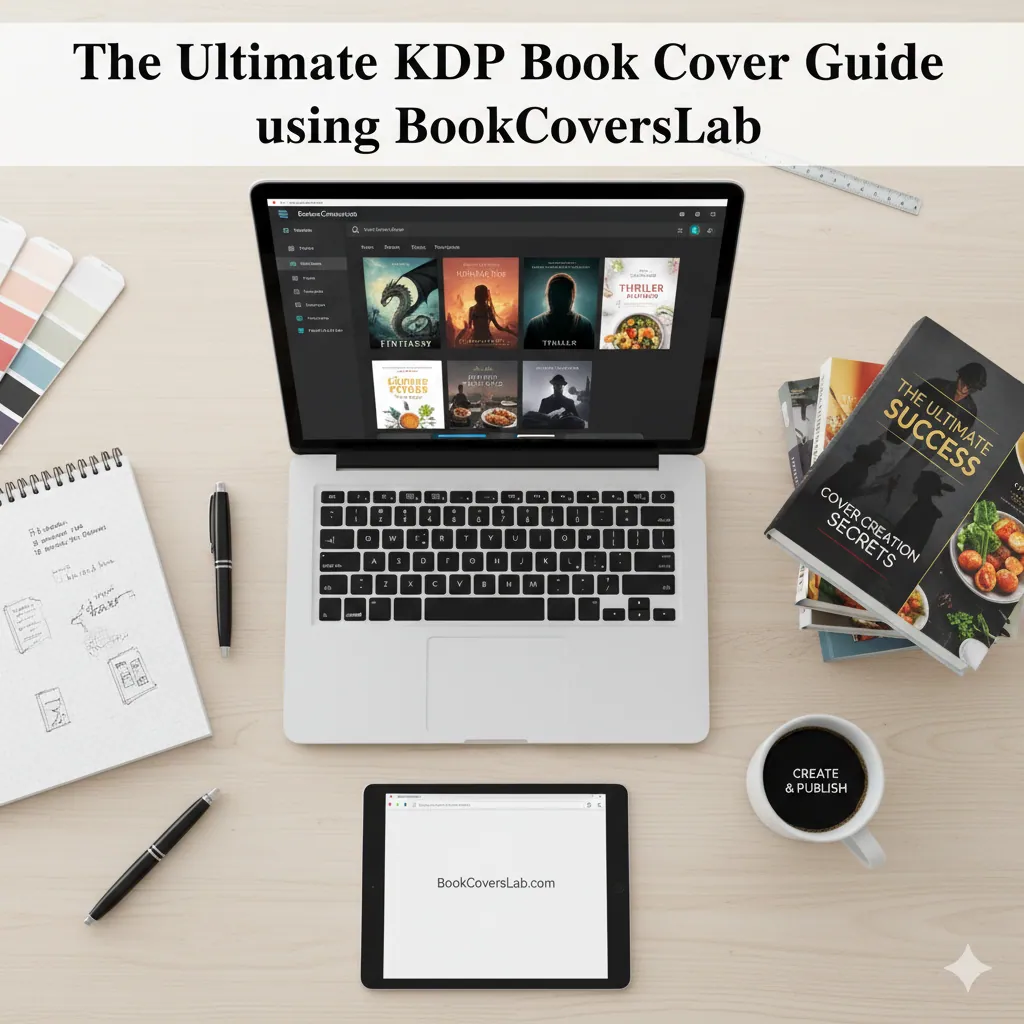
W tym artykule przedstawiono BookCoversLab, które usprawnia tworzenie okładek KDP za pomocą precyzyjnego kalkulatora okładek, inspiracji generowanych przez sztuczną inteligencję i „bestsellerowej" stylizacji jednym kliknięciem. Automatycznie tworzy szablony typu full-wrap ze spadami i dynamicznym grzbietem, wymusza kontrolę wstępną przy rozdzielczości 300 DPI i eksportuje pliki PDF gotowe do druku, pomagając niezależnym autorom szybko uzyskać zgodne, gotowe do wprowadzenia na rynek okładki i przejść recenzję KDP za pierwszym razem.
Najlepsza alternatywa dla KDP Cover Creator do okładek gotowych do druku
Przestań męczyć się z obliczeniami kręgosłupa i ustawieniami spadów. Dowiedz się, jak używać BookCoversLab do generowania okładek zgodnych z KDP w rozdzielczości 300 DPI w zaledwie 6 krokach.
Jak sformatowac coloring book dla KDP: od luznych stron do print-ready interior PDF
Dowiedz sie krok po kroku, jak sformatowac coloring book dla KDP. Zamien luzne strony w print-ready interior PDF z poprawnym trim, blank backs, kolejnoscia stron i eksportem.
Newsletter
Dołącz do społeczności
Zapisz się do naszego newslettera, aby otrzymywać najnowsze wiadomości i aktualizacje